Long hours at a screen can quietly affect comfort, posture and wellbeing. Learn safer DSE practices, workstation setup and legal responsibilities before poor habits become harder to correct. Build confidence and enrol today.
4.5
(6 Reviews)
63 Students
Exclusive Deal! 94% Off, Today Only!
Sale Ends In
Working at a computer or using digital equipment for extended periods can place unnecessary strain on the body when workstations and habits are poorly managed. For UK employees, understanding Display Screen Equipment (DSE) responsibilities can help reduce avoidable discomfort and support safer, more productive working practices.
This course introduces the principles of DSE and explains how assessments can identify risks within a workstation. You will explore relevant legislation and prerequisites, potential health hazards, supportive postures, workstation setup and the safe use of portable DSE. The content is designed to help learners recognise practical improvements and understand how equipment, positioning and working habits can influence everyday comfort throughout the working day across offices, shared spaces and home-working environments with different equipment and routines.
By completing the course, you will have a clearer understanding of responsible DSE use and practical workstation considerations. Develop your awareness now and avoid letting preventable habits become established in your working routine.
There are no formal prerequisites to enrol in this Working with Display Screen Equipment course. It is suitable for both beginners and individuals already working in care who want to develop their skills further.
The course is fully accessible online, allowing you to study from home using any internet-enabled device.
All you need is a willingness to learn, basic literacy skills, and to be over the age of 16.
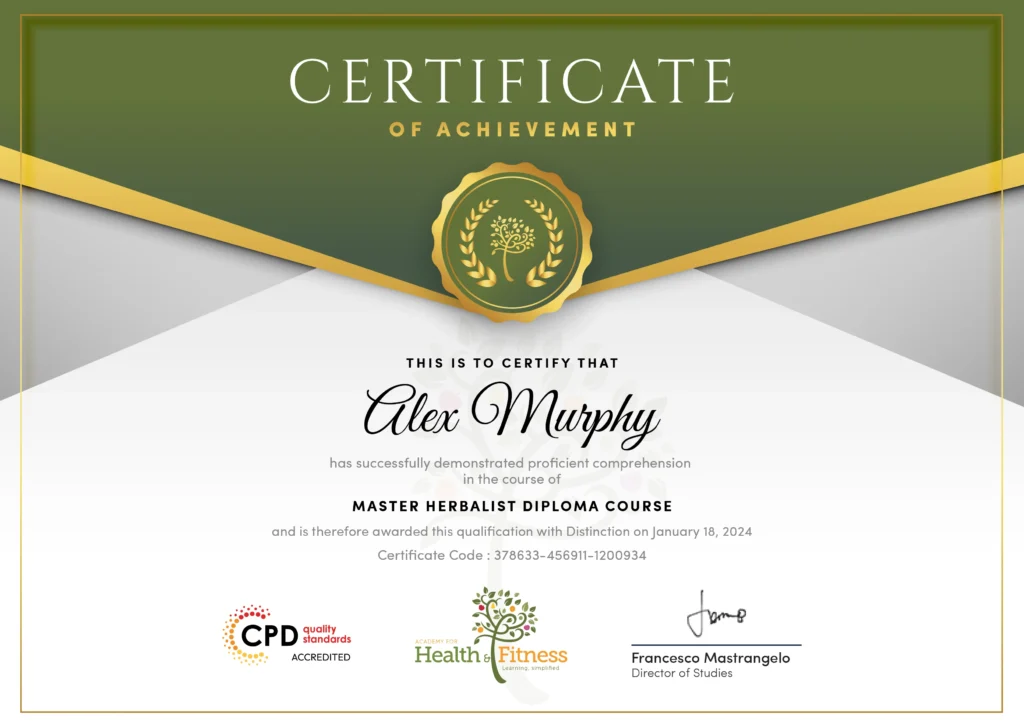
After successfully completing the course, you will qualify for a CPD Certificate as proof of your continued professional development and achievement. This certificate can enhance your professional profile and showcase your commitment to building relevant skills and knowledge. You can receive your digital certificate for only £10, or request a printed hard copy sent by post for just £29 or both for £39.
For assessing your learning, you have to complete an automated MCQ exam. It is required for the students to score at least 60% to pass the exam and fulfil the Quality Licence Scheme-endorsed certificate criteria. Learners can apply for the certificate after they clear the exam.
There are assignment questions provided at the end of the course. You are suggested to complete the questions to enrich your understanding of the course. You can complete this according to your preferred time. The expert tutor will provide feedback on your performance after assessing your assignment.
DSE awareness is relevant across the UK because screen-based equipment is central to many modern workplaces, including offices, customer service environments and home-working roles. This course can complement existing experience and workplace training, but it does not itself qualify learners for regulated or specialist positions.
Salary ranges are indicative UK figures and can vary according to location, employer, experience, qualifications and working hours.
Display Screen Equipment, commonly called DSE, includes devices such as computers, laptops and other screens used for work. DSE guidance focuses on managing risks associated with regular screen-based activities.
Â
Poor workstation arrangements or unsuitable working habits may contribute to discomfort and other physical problems. Appropriate assessments, equipment positioning and working practices can help manage these risks.
Â
A DSE assessment considers how a workstation is arranged and how equipment is being used. It can identify potential risks and highlight practical adjustments that may improve working conditions.
Workstation setup influences how employees position their screens, keyboards, chairs and other equipment. An appropriate arrangement can support more comfortable and efficient screen-based working.
Posture is an important consideration when working with display screen equipment for extended periods. Supportive positioning can help reduce unnecessary physical strain and encourage more comfortable working habits.
Potential concerns can include discomfort affecting the back, neck, shoulders, arms or eyes. Risk levels can vary depending on equipment, workstation design, working duration and individual circumstances.
Â
UK employers have responsibilities concerning workers who regularly use display screen equipment. DSE requirements include appropriate assessment and action where risks are identified.
Yes. The course includes a dedicated module covering portable DSE and the considerations associated with using equipment such as laptops.
Â
Yes. DSE considerations can also be relevant when employees regularly work from home. Employers and workers should consider the suitability of home-working arrangements where DSE is used regularly.
Â
Both employers and employees have important roles in maintaining safe DSE working practices. Awareness can help workers recognise concerns and support employers in implementing appropriate workplace measures.
| Module 1: Introduction to DSE | |||
| Introduction to DSE | 00:17:00 | ||
| Module 2: DSE Assessment | |||
| DSE Assessment | 00:16:00 | ||
| Module 3: Safe Use of DSE: Legislation and Prerequisites | |||
| Safe Use of DSE: Legislation and Prerequisites | 00:17:00 | ||
| Module 4: Potential Health Hazards | |||
| Potential Health Hazards | 00:19:00 | ||
| Module 5: Supportive Postures | |||
| Supportive Postures | 00:18:00 | ||
| Module 6: Workstation Setup | |||
| Workstation Setup | 00:21:00 | ||
| Module 7: Portable DSE | |||
| Portable DSE | 00:16:00 | ||
| Module 1: Introduction to DSE | |||
| Introduction to DSE | 00:17:00 | ||
| Module 2: DSE Assessment | |||
| DSE Assessment | 00:16:00 | ||
| Module 3: Safe Use of DSE: Legislation and Prerequisites | |||
| Safe Use of DSE: Legislation and Prerequisites | 00:17:00 | ||
| Module 4: Potential Health Hazards | |||
| Potential Health Hazards | 00:19:00 | ||
| Module 5: Supportive Postures | |||
| Supportive Postures | 00:18:00 | ||
| Module 6: Workstation Setup | |||
| Workstation Setup | 00:21:00 | ||
| Module 7: Portable DSE | |||
| Portable DSE | 00:16:00 | ||