The Secretary & PA Diploma is a CPD-accredited course designed for aspiring personal assistants, administrative professionals, and office support staff within the fitness and service industries, offering essential skills in organizational, communication, and management tasks, with a certificate to enhance professional credibility and career progression.
5
(1 Reviews)
16 Students
Exclusive Deal! 94% Off, Today Only!
Sale Ends In
CPD PointUnlock your professional potential with our standout Secretary & PA Diploma — a CPD‑accredited course tailored to equip you with essential skills that UK employers value. Administrative and personal assistant roles in the UK offer median salaries up to £32,500 and strong demand for organised, tech‑savvy professionals.
In this course, you’ll master core competencies such as effective communication, time management, business writing, meeting coordination, Microsoft Excel and PowerPoint basics, and telephone etiquette — all vital for success in admin and PA roles. Whether you’re starting your career, aiming for progression, or working in the fitness and service industries, these skills will set you apart.
With expert‑led modules covering personal assistance, organisational skills, and administrative management, this course ensures you can confidently support executives, streamline office operations, and boost workplace productivity. Earning your certificate not only demonstrates credibility but also enhances employability and career mobility in a competitive job market where admin expertise remains indispensable.
Take the next step in your career—enrol in the Secretary & PA Diploma today and transform your professional future!
The Secretary & PA Diploma is a Level 3 CPD‑accredited course designed to equip learners with the practical and professional skills needed to excel in administrative and personal assistant roles across the UK. Ideal for those seeking to enhance their career prospects in office administration, executive support, and the fitness and service industries, this course combines essential workplace competencies with real-world applications.
Throughout this course, you will develop expertise in personal assistance, administrative management, organisational skills, business writing, effective communication, telephone etiquette, and meeting coordination. You will also gain hands-on knowledge of Microsoft Excel and PowerPoint basics, empowering you to manage data, presentations, and office tasks efficiently.
By completing this course, you will not only master key administrative skills but also build confidence, improve workplace productivity, and demonstrate professional credibility with a recognised certificate, giving you a competitive edge in the dynamic UK job market.
 By completing the Secretary & PA Diploma online course, you will:
Whether you are starting your career or looking to enhance your administrative and executive support skills, the Secretary & PA Diploma provides the essential knowledge and essential expertise required to succeed in office and PA roles across the UK.
This comprehensive course is designed to reflect real workplace practices, helping you build confidence in personal assistance, administrative management, organisational skills, business communication, and office technology such as Microsoft Excel and PowerPoint.
Studying this course supports your progression into roles such as personal assistant, office administrator, executive support, or administrative coordinator, giving you a strong foundation to enter the professional workplace or advance your existing skills while enhancing your CV and career prospects.
This course is perfect for individuals who want to start or progress in administrative, executive support, or personal assistant roles across the UK.
It is suitable for:
There are no specific prerequisites to enrol in the Secretary & PA Diploma – anyone interested in building administrative and PA skills can take this course. It is fully accessible on any internet-enabled device, allowing you to study comfortably from home. All you need is a passion for learning, basic literacy, and to be over 16 years of age.
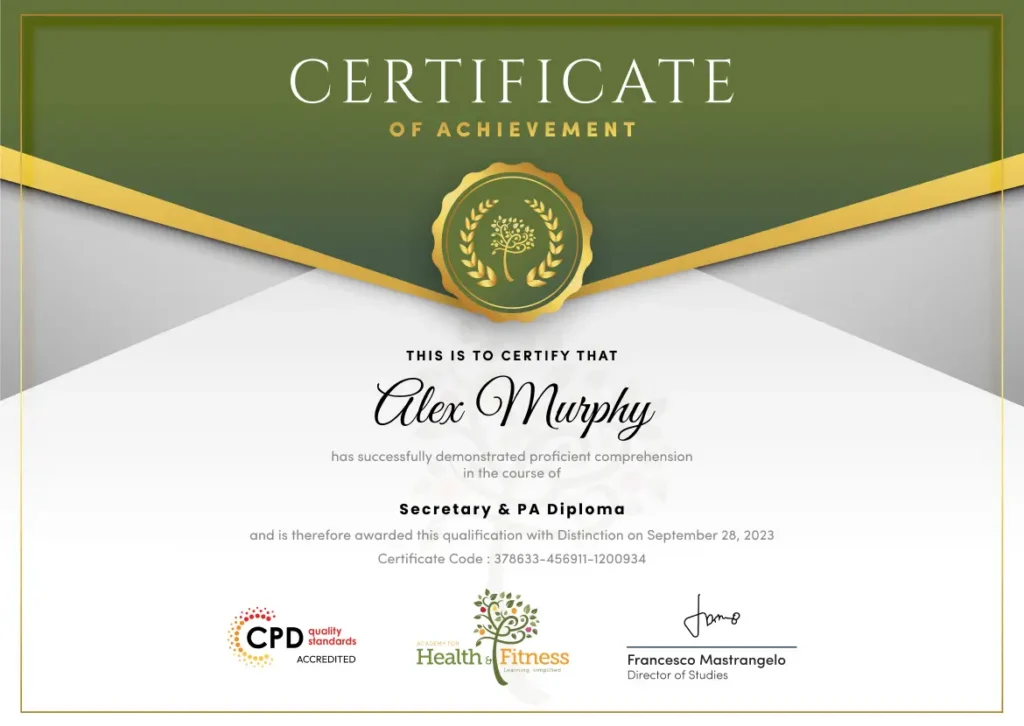
After successfully completing the Secretary & PA Diploma course, you will qualify for a CPD Certificate as proof of your continued professional development and achievement. This certificate can enhance your professional profile and showcase your commitment to building relevant skills and knowledge. You can receive your digital certificate for only £10, or request a printed hard copy sent by post for just £29 or both for £39.
For assessing your learning, you have to complete an automated MCQ exam. It is required for the students to score at least 60% to pass the exam and fulfil the Quality Licence Scheme-endorsed certificate criteria. Learners can apply for the certificate after they clear the exam.
There are assignment questions provided at the end of the course. You are suggested to complete the questions to enrich your understanding of the course. You can complete this according to your preferred time. The expert tutor will provide feedback on your performance after assessing your assignment.
The Secretary & PA Diploma equips you with essential administrative and PA skills, preparing you for roles like personal assistant, office administrator, executive assistant, receptionist, or virtual assistant. This diploma boosts employability and builds confidence for entry- and mid-level office careers across the UK.Â
This course covers personal assistance, administrative management, organisational skills, business writing, effective communication, meeting management, telephone etiquette, and Microsoft Office basics. It provides essential knowledge to succeed in office and PA roles.
Yes. This course is designed for beginners, office assistants, aspiring personal assistants, and anyone looking to enhance administrative skills step by step.
Yes. The course is fully online, allowing you to study from home at your own pace, making it flexible for work, family, or other commitments.
Yes. Learners receive a CPD-accredited digital certificate, with the option to order a hard copy to showcase skills and enhance your CV.
No. This diploma provides knowledge and skills for administrative and PA roles but does not provide professional licensing.
course supports roles such as personal assistant, office administrator, executive assistant, receptionist, administrative coordinator, and virtual assistant in UK workplaces.
Assessment includes quizzes, assignments, and essential exercises. Learners receive tutor feedback and must achieve passing scores to complete the course.
This course is ideal for beginners, office staff, aspiring personal assistants, or anyone seeking to boost administrative and professional skills for career progression.
Yes. Administrative and PA roles are in demand across offices, businesses, and organisations, offering opportunities for career progression and competitive salaries.
This course equips you with essential administrative, organizational, and communication skills, giving you the confidence and essential knowledge to succeed in professional office environments.
| Secretary & PA Diploma | |||
| Module 01: Personal Assistant | |||
| Personal Assistant | 01:23:00 | ||
| Module 02: Admin Support | |||
| Admin Support | 01:54:00 | ||
| Module 03: Administrative Management | |||
| Administrative Management | 01:00:00 | ||
| Module 04: Organisational Skills | |||
| Organisational Skills | 01:16:00 | ||
| Module 05: Telephone Etiquette | |||
| Telephone Etiquette | 01:07:00 | ||
| Module 06: Business Writing | |||
| Business Writing | 01:24:00 | ||
| Module 07: Time Management | |||
| Time Management | 01:09:00 | ||
| Module 08: Body Language and Effective Communication | |||
| Body Language and Effective Communication | 01:23:00 | ||
| Module 09: Meeting Management | |||
| Meeting Management | 01:24:00 | ||
| Module 10: Excel Basics | |||
| Navigate the Excel User Interface | 00:28:00 | ||
| Use Excel Commands | 00:10:00 | ||
| Create and Save a Basic Workbook | 00:19:00 | ||
| Enter Cell Data | 00:12:00 | ||
| Use Excel Help | 00:05:00 | ||
| Create Worksheet Formulas | 00:15:00 | ||
| Insert Functions | 00:17:00 | ||
| Reuse Formulas and Functions | 00:17:00 | ||
| Insert, Delete, and Adjust Cells, Columns, and Rows | 00:10:00 | ||
| Search for and Replace Data | 00:09:00 | ||
| Use Proofing and Research Tools | 00:07:00 | ||
| Apply Text Formats | 00:16:00 | ||
| Apply Number Format | 00:08:00 | ||
| Align Cell Contents | 00:09:00 | ||
| Apply Styles and Themes | 00:12:00 | ||
| Apply Basic Conditional Formatting | 00:11:00 | ||
| Create and Use Templates | 00:08:00 | ||
| Preview and Print a Workbook | 00:10:00 | ||
| Set Up the Page Layout | 00:09:00 | ||
| Configure Headers and Footers | 00:07:00 | ||
| Manage Worksheets | 00:05:00 | ||
| Manage Workbook and Worksheet Views | 00:07:00 | ||
| Manage Workbook Properties | 00:06:00 | ||
| Module 11: PowerPoint Basic | |||
| Customize the User Interface | 00:19:00 | ||
| Set PowerPoint 2016 Options | 00:07:00 | ||
| Modify Slide Masters and Slide Layouts | 00:16:00 | ||
| Add Headers and Footers | 00:05:00 | ||
| Modify the Notes Master and the Handout Master | 00:04:00 | ||
| Create SmartArt | 00:09:00 | ||
| Modify SmartArt | 00:05:00 | ||
| Write Math Equations | 00:07:00 | ||
| Add Audio to a Presentation | 00:09:00 | ||
| Add Video to a Presentation | 00:10:00 | ||
| Customize Animations and Transitions | 00:14:00 | ||
| Review a Presentation | 00:15:00 | ||
| Store and Share Presentations on the Web | 00:06:00 | ||
| Annotate a Presentation | 00:07:00 | ||
| Set Up a Slide Show | 00:08:00 | ||
| Create a Custom Slide Show | 00:03:00 | ||
| Add Hyperlinks and Action Buttons | 00:07:00 | ||
| Record a Presentation | 00:05:00 | ||
| Secure a Presentation | 00:11:00 | ||
| Broadcast a Slide Show | 00:07:00 | ||
| Create a Video or a CD | 00:08:00 | ||
| Mock Exam | |||
| Mock Exam – Secretary & PA Diploma | 00:20:00 | ||
| Final Exam | |||
| Final Exam – Secretary & PA Diploma | 00:20:00 | ||
| Secretary & PA Diploma | |||
| Module 01: Personal Assistant | |||
| Personal Assistant | 01:23:00 | ||
| Module 02: Admin Support | |||
| Admin Support | 01:54:00 | ||
| Module 03: Administrative Management | |||
| Administrative Management | 01:00:00 | ||
| Module 04: Organisational Skills | |||
| Organisational Skills | 01:16:00 | ||
| Module 05: Telephone Etiquette | |||
| Telephone Etiquette | 01:07:00 | ||
| Module 06: Business Writing | |||
| Business Writing | 01:24:00 | ||
| Module 07: Time Management | |||
| Time Management | 01:09:00 | ||
| Module 08: Body Language and Effective Communication | |||
| Body Language and Effective Communication | 01:23:00 | ||
| Module 09: Meeting Management | |||
| Meeting Management | 01:24:00 | ||
| Module 10: Excel Basics | |||
| Navigate the Excel User Interface | 00:28:00 | ||
| Use Excel Commands | 00:10:00 | ||
| Create and Save a Basic Workbook | 00:19:00 | ||
| Enter Cell Data | 00:12:00 | ||
| Use Excel Help | 00:05:00 | ||
| Create Worksheet Formulas | 00:15:00 | ||
| Insert Functions | 00:17:00 | ||
| Reuse Formulas and Functions | 00:17:00 | ||
| Insert, Delete, and Adjust Cells, Columns, and Rows | 00:10:00 | ||
| Search for and Replace Data | 00:09:00 | ||
| Use Proofing and Research Tools | 00:07:00 | ||
| Apply Text Formats | 00:16:00 | ||
| Apply Number Format | 00:08:00 | ||
| Align Cell Contents | 00:09:00 | ||
| Apply Styles and Themes | 00:12:00 | ||
| Apply Basic Conditional Formatting | 00:11:00 | ||
| Create and Use Templates | 00:08:00 | ||
| Preview and Print a Workbook | 00:10:00 | ||
| Set Up the Page Layout | 00:09:00 | ||
| Configure Headers and Footers | 00:07:00 | ||
| Manage Worksheets | 00:05:00 | ||
| Manage Workbook and Worksheet Views | 00:07:00 | ||
| Manage Workbook Properties | 00:06:00 | ||
| Module 11: PowerPoint Basic | |||
| Customize the User Interface | 00:19:00 | ||
| Set PowerPoint 2016 Options | 00:07:00 | ||
| Modify Slide Masters and Slide Layouts | 00:16:00 | ||
| Add Headers and Footers | 00:05:00 | ||
| Modify the Notes Master and the Handout Master | 00:04:00 | ||
| Create SmartArt | 00:09:00 | ||
| Modify SmartArt | 00:05:00 | ||
| Write Math Equations | 00:07:00 | ||
| Add Audio to a Presentation | 00:09:00 | ||
| Add Video to a Presentation | 00:10:00 | ||
| Customize Animations and Transitions | 00:14:00 | ||
| Review a Presentation | 00:15:00 | ||
| Store and Share Presentations on the Web | 00:06:00 | ||
| Annotate a Presentation | 00:07:00 | ||
| Set Up a Slide Show | 00:08:00 | ||
| Create a Custom Slide Show | 00:03:00 | ||
| Add Hyperlinks and Action Buttons | 00:07:00 | ||
| Record a Presentation | 00:05:00 | ||
| Secure a Presentation | 00:11:00 | ||
| Broadcast a Slide Show | 00:07:00 | ||
| Create a Video or a CD | 00:08:00 | ||
| Mock Exam | |||
| Mock Exam – Secretary & PA Diploma | 00:20:00 | ||
| Final Exam | |||
| Final Exam – Secretary & PA Diploma | 00:20:00 | ||