Master the software skills that support modern office work with the Microsoft Office Course, created for aspiring administrators, office professionals, business support staff, and beginners who want stronger skills in Excel, Word, PowerPoint, and Access. This CPD-accredited online course includes a recognised certificate on successful completion.
4.6
(7 Reviews)
376 Students
Exclusive Deal! 94% Off, Today Only!
Sale Ends In
CPD Point
Master the digital tools that power the modern workplace with the Microsoft Office Course, a comprehensive training designed to turn everyday software into your greatest professional asset. The course gives you structured training across Microsoft Excel 2019, Microsoft Word 2019, Microsoft PowerPoint 2019, and Microsoft Access 2019. You will move through areas such as calculations, worksheet formatting, workbook management, document formatting, tables, graphics, presentation design, charts, queries, forms, and reports, helping you build a more useful and job-relevant grasp of the MS Office.
For learners who want more than a basic software refresher, the Microsoft Office Course offers one place to strengthen spreadsheet, document, presentation, and database skills together. Whether your goal is to improve your office admin skills, refresh your confidence for day-to-day work, or build a stronger base for office-based roles, this course gives you a flexible way to get started. Enrol today and start building skills you can use with more confidence at work.
With the MS Office Course, you can build in-demand skills across the Office applications most commonly used in office and admin work. By the end of the course, you will be able to:
For learners who want one course that covers the core MS Office applications together, the Microsoft Office Training offers a clear route into office software skills compared to studying each tool separately.
Whether you are starting from scratch or updating older software knowledge, the Microsoft Office Course is for you. It’s ideal for:
Getting started with the MS Office Course is straightforward, as there are no formal entry requirements. The course is open to learners aged 16 and over, and you can study online using a computer, tablet, or smartphone.
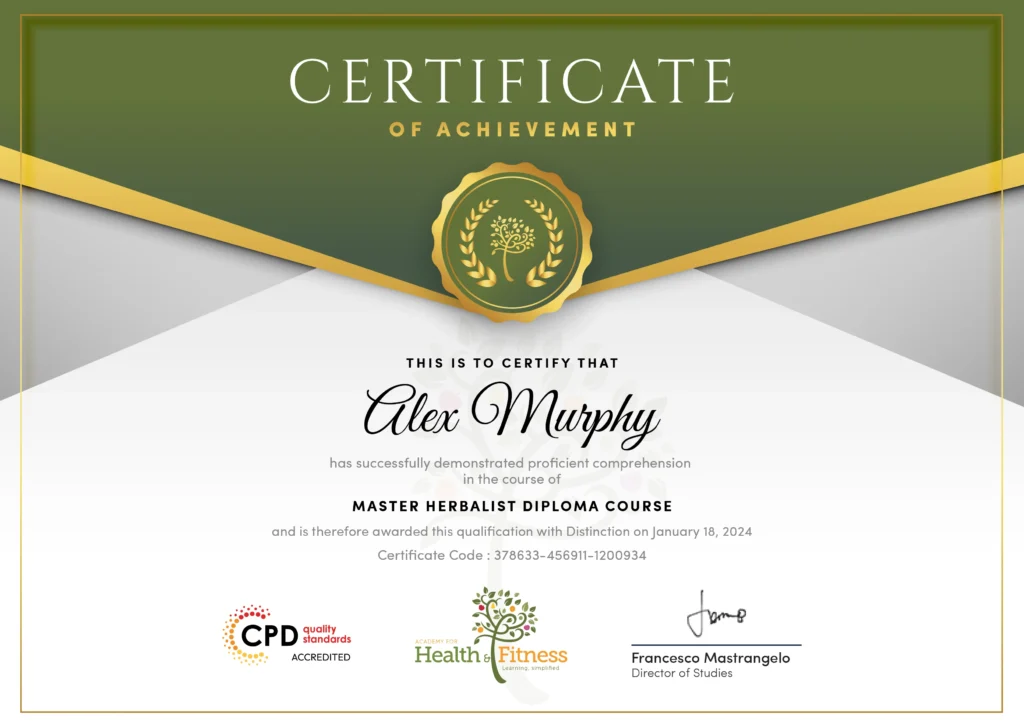
After successfully completing the Microsoft Office Course, you will qualify for a CPD Certificate as proof of your continued professional development and achievement. This certificate can enhance your professional profile and showcase your commitment to building relevant skills and knowledge. You can receive your digital certificate for only £10, or request a printed hard copy sent by post for just £29 or both for £39.
As an online skills course, the Microsoft Office Course is completed by working through the modules across Excel, Word, PowerPoint, and Access. Once you successfully complete the course requirements, you may become eligible to order your CPD certificate.
The skills developed through the MS Office Course can support a wide range of office and business-support roles where documents, spreadsheets, presentations, and data handling matter. Possible career paths include:
Microsoft Office is a collection of productivity applications used for documents, spreadsheets, presentations, and related office tasks. Microsoft describes Microsoft 365 as including familiar apps such as Word, Excel, and PowerPoint, which reflects the core software skills employers still expect in many workplaces.
The Microsoft Office Training covers Microsoft Excel 2019, Microsoft Word 2019, Microsoft PowerPoint 2019, and Microsoft Access 2019, including calculations, formatting, tables, graphics, charts, queries, forms, reports, and document preparation.
Yes. Online Microsoft Office learning is widely available, and Microsoft itself offers self-paced technology learning through Microsoft Learn. The Microsoft Office Training is designed for flexible online study, so you can build your skills around your own schedule.
Yes, this is considered a suitable Microsoft Office Course for Beginners. The curriculum is designed to be accessible, starting with an overview of the latest features to build your confidence before progressing into more detailed tasks. This structure makes it an ideal choice whether you are starting from scratch or simply need to refresh older knowledge to meet modern workplace standards.
Yes. The Microsoft Office Training includes training in Excel, Word, PowerPoint, and Access, making it a broader office software course rather than a single-application program.
Yes. Office-based roles commonly involve writing letters and emails, producing reports, maintaining records, and supporting meetings, which makes Microsoft Office skills highly relevant for everyday admin work.
You will have 1 year of access, so you can study at your own pace and revisit the content when needed.
You can look for free Microsoft Office courses through local colleges, libraries, community learning centres, or job support programs. If you would rather study from home, the Microsoft Office Course gives you flexible online access to build office software skills around your own schedule.
| Microsoft Excel 2019 | |||
| Microsoft Excel 2019 New Features | |||
| Introduction to Microsoft Excel 2019 New Features | 00:07:00 | ||
| CONCAT | 00:02:00 | ||
| IFS | 00:01:00 | ||
| MAXIFS | 00:01:00 | ||
| MINIFS | 00:01:00 | ||
| SWITCH | 00:02:00 | ||
| TEXTJOIN | 00:01:00 | ||
| Map Chart | 00:02:00 | ||
| Funnel Chart | 00:01:00 | ||
| Better Visuals | 00:06:00 | ||
| Pivot Table Enhancements | 00:02:00 | ||
| Power Pivot Updates | 00:01:00 | ||
| Getting Started with Microsoft Excel | |||
| Navigate the Excel User Interface | 00:28:00 | ||
| Use Excel Commands | 00:10:00 | ||
| Create and Save a Basic Workbook | 00:19:00 | ||
| Enter Cell Data | 00:12:00 | ||
| Use Excel Help | 00:05:00 | ||
| Performing Calculations | |||
| Create Worksheet Formulas | 00:15:00 | ||
| Insert Functions | 00:17:00 | ||
| Reuse Formulas and Functions | 00:17:00 | ||
| Modifying a Worksheet | |||
| Insert, Delete, and Adjust Cells, Columns, and Rows | 00:10:00 | ||
| Search for and Replace Data | 00:09:00 | ||
| Use Proofing and Research Tools | 00:07:00 | ||
| Formatting a Worksheet | |||
| Apply Text Formats | 00:16:00 | ||
| Apply Number Format | 00:07:00 | ||
| Align Cell Contents | 00:09:00 | ||
| Apply Styles and Themes | 00:12:00 | ||
| Apply Basic Conditional Formatting | 00:11:00 | ||
| Create and Use Templates | 00:08:00 | ||
| Printing Workbooks | |||
| Preview and Print a Workbook | 00:10:00 | ||
| Set Up the Page Layout | 00:09:00 | ||
| Configure Headers and Footers | 00:07:00 | ||
| Managing Workbooks | |||
| Manage Worksheets | 00:05:00 | ||
| Manage Workbook and Worksheet Views | 00:07:00 | ||
| Manage Workbook Properties | 00:06:00 | ||
| Microsoft Word 2019 | |||
| Microsoft Word 2019 New Features | |||
| Introduction to Microsoft Word 2019 New Features | 00:14:00 | ||
| Inking Tools | 00:03:00 | ||
| Inking Tools 1 | 00:07:00 | ||
| Learning Tools | 00:07:00 | ||
| Microsoft Translate | 00:03:00 | ||
| LaTeX | 00:05:00 | ||
| Smart Lookup | 00:04:00 | ||
| Side to Side Scrolling | 00:02:00 | ||
| Scalable Vector Graphics | 00:03:00 | ||
| Getting Started with Word | |||
| Navigate in Microsoft Word | 00:12:00 | ||
| Create and Save Word Documents | 00:24:00 | ||
| Manage Your Workspace | 00:06:00 | ||
| Edit Documents | 00:16:00 | ||
| Preview and Print Documents | 00:04:00 | ||
| Customize the Word Environment | 00:08:00 | ||
| Formatting Text and Paragraphs | |||
| Apply Character Formatting | 00:17:00 | ||
| Control Paragraph Layout | 00:19:00 | ||
| Align Text Using Tabs | 00:07:00 | ||
| Display Text in Bulleted or Numbered Lists | 00:03:00 | ||
| Apply Borders and Shading | 00:04:00 | ||
| Working More Efficiently | |||
| Make Repetitive Edits | 00:06:00 | ||
| Apply Repetitive Formatting | 00:10:00 | ||
| Use Styles to Streamline Repetitive Formatting Tasks | 00:14:00 | ||
| Managing Lists | |||
| Sort a List | 00:05:00 | ||
| Format a List | 00:06:00 | ||
| Adding Tables | |||
| Inserting a Table | 00:06:00 | ||
| Modify a Table | 00:06:00 | ||
| Format a Table | 00:03:00 | ||
| Convert Text to a Table | 00:04:00 | ||
| Inserting Graphic Objects | |||
| Insert Symbols and Special Characters | 00:04:00 | ||
| Add Images to a Document | 00:11:00 | ||
| Controlling Page Appearance | |||
| Apply a Page Border and Color | 00:03:00 | ||
| Add Headers and Footers | 00:05:00 | ||
| Control Page Layout | 00:05:00 | ||
| Add a Watermark | 00:04:00 | ||
| Preparing to Publish a Document | |||
| Check Spelling Grammar and Readability | 00:07:00 | ||
| Use Proofing and Research Tools | 00:07:00 | ||
| Check Accessibility | 00:03:00 | ||
| Save a Document to Other Formats | 00:04:00 | ||
| Workbooks - Microsoft Word 2016 (Beginner) | |||
| Workbooks – Microsoft Word 2016 (Beginner) | 00:00:00 | ||
| Microsoft PowerPoint 2019 | |||
| Microsoft PowerPoint 2019 New Features | |||
| Introduction to Microsoft PowerPoint 2019 New Features | 00:06:00 | ||
| Highlighting | 00:02:00 | ||
| Morph Transition | 00:03:00 | ||
| Zoom | 00:03:00 | ||
| Vector Graphics | 00:03:00 | ||
| SVG Icons to Shapes | 00:04:00 | ||
| 3D Modeling | 00:04:00 | ||
| Background Removal | 00:03:00 | ||
| 4K | 00:03:00 | ||
| PowerPoint Interface | |||
| Navigate the PowerPoint Environment | 00:28:00 | ||
| View and Navigate a Presentation | 00:15:00 | ||
| Create and Save a PowerPoint Presentation | 00:13:00 | ||
| Use PowerPoint Help | 00:10:00 | ||
| Presentation Basics | |||
| Select a Presentation Type | 00:08:00 | ||
| Edit Text | 00:13:00 | ||
| Build a Presentation | 00:27:00 | ||
| Formatting | |||
| Format Characters | 00:11:00 | ||
| Format Paragraphs | 00:16:00 | ||
| Format Text Boxes | 00:09:00 | ||
| Inserting Options | |||
| Insert Images | 00:10:00 | ||
| Insert Shapes | 00:15:00 | ||
| Working with Objects | |||
| Edit Objects | 00:16:00 | ||
| Format Objects | 00:06:00 | ||
| Group Objects | 00:04:00 | ||
| Arrange Objects | 00:07:00 | ||
| Animate Objects | 00:07:00 | ||
| Table | |||
| Create a Table | 00:09:00 | ||
| Format a Table | 00:03:00 | ||
| Insert a Table from Other Microsoft Office Applications | 00:06:00 | ||
| Charts | |||
| Create a Chart | 00:10:00 | ||
| Format a Chart | 00:10:00 | ||
| Insert a Chart from Microsoft Excel | 00:05:00 | ||
| Review and Presentation | |||
| Review Your Presentation | 00:11:00 | ||
| Apply Transitions | 00:05:00 | ||
| Print Your Presentation | 00:05:00 | ||
| Deliver Your Presentation | 00:08:00 | ||
| Microsoft Access 2019 | |||
| Microsoft Access 2019 New Features | |||
| Introduction to Microsoft Access 2019 New Features | 00:05:00 | ||
| Window Resize | 00:01:00 | ||
| Charts | 00:02:00 | ||
| dbf | 00:01:00 | ||
| Large Number | 00:01:00 | ||
| Property Sorting | 00:01:00 | ||
| Introduction to Access | |||
| Orientation to Microsoft Access | 00:39:00 | ||
| Create a Simple Access Database | 00:10:00 | ||
| Get Help and Configure Options in Microsoft Access | 00:06:00 | ||
| Modify Data | |||
| Modify Table Data | 00:17:00 | ||
| Sort and Filter Records | 00:05:00 | ||
| Working with Queries | |||
| Create Basic Queries | 00:15:00 | ||
| Sort and Filter Data in a Query | 00:14:00 | ||
| Perform Calculations in a Query | 00:08:00 | ||
| Access Forms | |||
| Create Basic Access Forms | 00:07:00 | ||
| Work with Data on Access Forms | 00:23:00 | ||
| Working with Reports | |||
| Create a Report | 00:23:00 | ||
| Add Controls to a Report | 00:12:00 | ||
| Enhance the Appearance of a Report | 00:05:00 | ||
| Prepare a Report for Print | 00:03:00 | ||
| Organize Report Information | 00:15:00 | ||
| Format Reports | 00:12:00 | ||
| Certificate | |||
| Order Your Certificate | 00:00:00 | ||
| Microsoft Excel 2019 | |||
| Microsoft Excel 2019 New Features | |||
| Introduction to Microsoft Excel 2019 New Features | 00:07:00 | ||
| CONCAT | 00:02:00 | ||
| IFS | 00:01:00 | ||
| MAXIFS | 00:01:00 | ||
| MINIFS | 00:01:00 | ||
| SWITCH | 00:02:00 | ||
| TEXTJOIN | 00:01:00 | ||
| Map Chart | 00:02:00 | ||
| Funnel Chart | 00:01:00 | ||
| Better Visuals | 00:06:00 | ||
| Pivot Table Enhancements | 00:02:00 | ||
| Power Pivot Updates | 00:01:00 | ||
| Getting Started with Microsoft Excel | |||
| Navigate the Excel User Interface | 00:28:00 | ||
| Use Excel Commands | 00:10:00 | ||
| Create and Save a Basic Workbook | 00:19:00 | ||
| Enter Cell Data | 00:12:00 | ||
| Use Excel Help | 00:05:00 | ||
| Performing Calculations | |||
| Create Worksheet Formulas | 00:15:00 | ||
| Insert Functions | 00:17:00 | ||
| Reuse Formulas and Functions | 00:17:00 | ||
| Modifying a Worksheet | |||
| Insert, Delete, and Adjust Cells, Columns, and Rows | 00:10:00 | ||
| Search for and Replace Data | 00:09:00 | ||
| Use Proofing and Research Tools | 00:07:00 | ||
| Formatting a Worksheet | |||
| Apply Text Formats | 00:16:00 | ||
| Apply Number Format | 00:07:00 | ||
| Align Cell Contents | 00:09:00 | ||
| Apply Styles and Themes | 00:12:00 | ||
| Apply Basic Conditional Formatting | 00:11:00 | ||
| Create and Use Templates | 00:08:00 | ||
| Printing Workbooks | |||
| Preview and Print a Workbook | 00:10:00 | ||
| Set Up the Page Layout | 00:09:00 | ||
| Configure Headers and Footers | 00:07:00 | ||
| Managing Workbooks | |||
| Manage Worksheets | 00:05:00 | ||
| Manage Workbook and Worksheet Views | 00:07:00 | ||
| Manage Workbook Properties | 00:06:00 | ||
| Microsoft Word 2019 | |||
| Microsoft Word 2019 New Features | |||
| Introduction to Microsoft Word 2019 New Features | 00:14:00 | ||
| Inking Tools | 00:03:00 | ||
| Inking Tools 1 | 00:07:00 | ||
| Learning Tools | 00:07:00 | ||
| Microsoft Translate | 00:03:00 | ||
| LaTeX | 00:05:00 | ||
| Smart Lookup | 00:04:00 | ||
| Side to Side Scrolling | 00:02:00 | ||
| Scalable Vector Graphics | 00:03:00 | ||
| Getting Started with Word | |||
| Navigate in Microsoft Word | 00:12:00 | ||
| Create and Save Word Documents | 00:24:00 | ||
| Manage Your Workspace | 00:06:00 | ||
| Edit Documents | 00:16:00 | ||
| Preview and Print Documents | 00:04:00 | ||
| Customize the Word Environment | 00:08:00 | ||
| Formatting Text and Paragraphs | |||
| Apply Character Formatting | 00:17:00 | ||
| Control Paragraph Layout | 00:19:00 | ||
| Align Text Using Tabs | 00:07:00 | ||
| Display Text in Bulleted or Numbered Lists | 00:03:00 | ||
| Apply Borders and Shading | 00:04:00 | ||
| Working More Efficiently | |||
| Make Repetitive Edits | 00:06:00 | ||
| Apply Repetitive Formatting | 00:10:00 | ||
| Use Styles to Streamline Repetitive Formatting Tasks | 00:14:00 | ||
| Managing Lists | |||
| Sort a List | 00:05:00 | ||
| Format a List | 00:06:00 | ||
| Adding Tables | |||
| Inserting a Table | 00:06:00 | ||
| Modify a Table | 00:06:00 | ||
| Format a Table | 00:03:00 | ||
| Convert Text to a Table | 00:04:00 | ||
| Inserting Graphic Objects | |||
| Insert Symbols and Special Characters | 00:04:00 | ||
| Add Images to a Document | 00:11:00 | ||
| Controlling Page Appearance | |||
| Apply a Page Border and Color | 00:03:00 | ||
| Add Headers and Footers | 00:05:00 | ||
| Control Page Layout | 00:05:00 | ||
| Add a Watermark | 00:04:00 | ||
| Preparing to Publish a Document | |||
| Check Spelling Grammar and Readability | 00:07:00 | ||
| Use Proofing and Research Tools | 00:07:00 | ||
| Check Accessibility | 00:03:00 | ||
| Save a Document to Other Formats | 00:04:00 | ||
| Workbooks - Microsoft Word 2016 (Beginner) | |||
| Workbooks – Microsoft Word 2016 (Beginner) | 00:00:00 | ||
| Microsoft PowerPoint 2019 | |||
| Microsoft PowerPoint 2019 New Features | |||
| Introduction to Microsoft PowerPoint 2019 New Features | 00:06:00 | ||
| Highlighting | 00:02:00 | ||
| Morph Transition | 00:03:00 | ||
| Zoom | 00:03:00 | ||
| Vector Graphics | 00:03:00 | ||
| SVG Icons to Shapes | 00:04:00 | ||
| 3D Modeling | 00:04:00 | ||
| Background Removal | 00:03:00 | ||
| 4K | 00:03:00 | ||
| PowerPoint Interface | |||
| Navigate the PowerPoint Environment | 00:28:00 | ||
| View and Navigate a Presentation | 00:15:00 | ||
| Create and Save a PowerPoint Presentation | 00:13:00 | ||
| Use PowerPoint Help | 00:10:00 | ||
| Presentation Basics | |||
| Select a Presentation Type | 00:08:00 | ||
| Edit Text | 00:13:00 | ||
| Build a Presentation | 00:27:00 | ||
| Formatting | |||
| Format Characters | 00:11:00 | ||
| Format Paragraphs | 00:16:00 | ||
| Format Text Boxes | 00:09:00 | ||
| Inserting Options | |||
| Insert Images | 00:10:00 | ||
| Insert Shapes | 00:15:00 | ||
| Working with Objects | |||
| Edit Objects | 00:16:00 | ||
| Format Objects | 00:06:00 | ||
| Group Objects | 00:04:00 | ||
| Arrange Objects | 00:07:00 | ||
| Animate Objects | 00:07:00 | ||
| Table | |||
| Create a Table | 00:09:00 | ||
| Format a Table | 00:03:00 | ||
| Insert a Table from Other Microsoft Office Applications | 00:06:00 | ||
| Charts | |||
| Create a Chart | 00:10:00 | ||
| Format a Chart | 00:10:00 | ||
| Insert a Chart from Microsoft Excel | 00:05:00 | ||
| Review and Presentation | |||
| Review Your Presentation | 00:11:00 | ||
| Apply Transitions | 00:05:00 | ||
| Print Your Presentation | 00:05:00 | ||
| Deliver Your Presentation | 00:08:00 | ||
| Microsoft Access 2019 | |||
| Microsoft Access 2019 New Features | |||
| Introduction to Microsoft Access 2019 New Features | 00:05:00 | ||
| Window Resize | 00:01:00 | ||
| Charts | 00:02:00 | ||
| dbf | 00:01:00 | ||
| Large Number | 00:01:00 | ||
| Property Sorting | 00:01:00 | ||
| Introduction to Access | |||
| Orientation to Microsoft Access | 00:39:00 | ||
| Create a Simple Access Database | 00:10:00 | ||
| Get Help and Configure Options in Microsoft Access | 00:06:00 | ||
| Modify Data | |||
| Modify Table Data | 00:17:00 | ||
| Sort and Filter Records | 00:05:00 | ||
| Working with Queries | |||
| Create Basic Queries | 00:15:00 | ||
| Sort and Filter Data in a Query | 00:14:00 | ||
| Perform Calculations in a Query | 00:08:00 | ||
| Access Forms | |||
| Create Basic Access Forms | 00:07:00 | ||
| Work with Data on Access Forms | 00:23:00 | ||
| Working with Reports | |||
| Create a Report | 00:23:00 | ||
| Add Controls to a Report | 00:12:00 | ||
| Enhance the Appearance of a Report | 00:05:00 | ||
| Prepare a Report for Print | 00:03:00 | ||
| Organize Report Information | 00:15:00 | ||
| Format Reports | 00:12:00 | ||
| Certificate | |||
| Order Your Certificate | 00:00:00 | ||