Learn Microsoft Word, PowerPoint & Outlook | Ideal for Office Professionals, Administrators, Business Owners, Students and Beginners | CPD Accredited Course with Certificate
Develop essential skills in Microsoft Word, PowerPoint and Outlook while learning useful Excel keyboard shortcuts. This essential course improves digital confidence, office productivity and everyday workplace efficiency.
0
(0 Reviews)
350 Students
Exclusive Deal! 94% Off, Today Only!
Sale Ends In
CPD Point
Strong Microsoft Office skills remain one of the most requested workplace competencies in the UK, with employers across administration, customer service, finance, education, healthcare, and business regularly seeking candidates who can confidently use Microsoft Office applications. The Learn Microsoft Word, PowerPoint & Outlook course is designed to help you build these essential digital skills and boost your workplace confidence.
Throughout the course, you will learn how to create professional documents in Microsoft Word, design engaging presentations in PowerPoint, manage emails and calendars efficiently with Outlook, and speed up your workflow using useful Excel keyboard shortcuts. These essential skills can help you communicate more effectively, stay organised, and complete everyday office tasks with greater accuracy and efficiency.
Whether you’re starting your career, returning to work, or looking to strengthen your CV, this CPD Accredited course provides valuable knowledge and a recognised certificate to support your professional development.
The Learn Microsoft Word, PowerPoint & Outlook course is designed to help learners develop essential digital office skills for today’s professional workplace. It is ideal for beginners, students, jobseekers, administrators, business owners, and anyone who wants to improve their confidence using Microsoft Office applications.
Throughout this course, you will learn the key features of Microsoft Word, including how to create, format, edit, and manage professional documents. You will also explore Microsoft PowerPoint essentials, helping you design clear, organised, and engaging presentations for meetings, training, education, or business purposes.
In addition, the course covers Microsoft Outlook essentials, allowing you to manage emails, organise calendars, schedule appointments, and improve workplace communication. You will also learn useful Microsoft Excel keyboard shortcuts to complete everyday tasks more quickly and efficiently.
By completing this CPD-accredited course, you can strengthen your CV, improve your workplace productivity, and gain essential skills that are valuable across a wide range of professional roles.
By completing this Learn Microsoft Word, PowerPoint & Outlook online course, you will:
Whether you are starting your career, returning to work, or looking to improve your digital office skills, the Learn Microsoft Word, PowerPoint & Outlook course provides the essential knowledge needed to work more confidently and efficiently.
This course focuses on widely used Microsoft Office applications, helping you create professional documents in Word, design effective presentations in PowerPoint, and manage emails, calendars, and appointments through Outlook. You will also learn useful Excel keyboard shortcuts to complete everyday tasks faster.
The course can support your progression into roles such as administrator, receptionist, office assistant, customer service representative, or business support professional. It also helps strengthen your CV, improve workplace productivity, and build valuable digital skills that are relevant across a wide range of industries.
This course is ideal for individuals who want to improve their digital office skills and use Microsoft applications more confidently in professional or academic settings.
It is suitable for:
There are no specific prerequisites to enrol in the Learn Microsoft Word, PowerPoint & Outlook course. Anyone interested in improving their digital office skills can take this course.
The course is fully accessible from any internet-enabled computer, tablet, or smartphone. This allows you to study comfortably from home or any convenient location.
All you need is basic literacy, an interest in learning Microsoft Office applications, access to the internet, and to be over 16 years old.
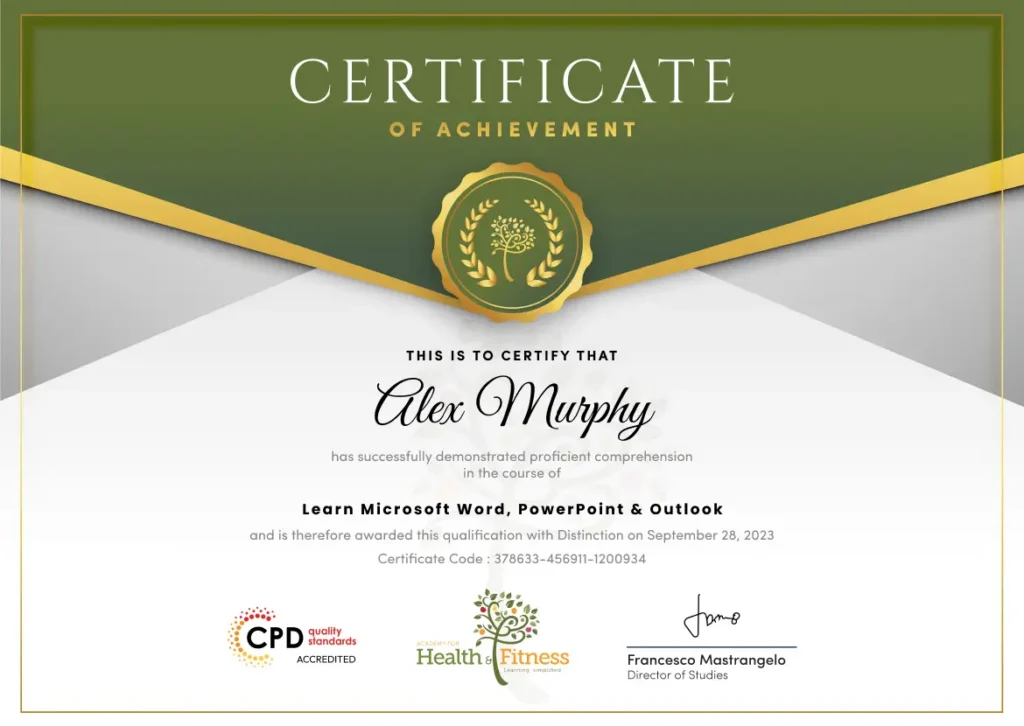
After successfully completing the Learn Microsoft Word, PowerPoint & Outlook course, you will qualify for a CPD Certificate as proof of your continued professional development and achievement. This certificate can enhance your professional profile and showcase your commitment to building relevant skills and knowledge. You can receive your digital certificate for only £10, or request a printed hard copy sent by post for just £29 or both for £39.
For assessing your learning, you have to complete an automated MCQ exam. It is required for the students to score at least 60% to pass the exam and fulfil the Quality Licence Scheme-endorsed certificate criteria. Learners can apply for the certificate after they clear the exam.
There are assignment questions provided at the end of the course. You are suggested to complete the questions to enrich your understanding of the course. You can complete this according to your preferred time. The expert tutor will provide feedback on your performance after assessing your assignment.
The Learn Microsoft Word, PowerPoint & Outlook course provides essential , knowledge-based training in document creation, presentations, email management, calendar organisation, and workplace productivity. Although it does not guarantee employment or provide a professional licence, it can support entry-level and administrative career opportunities across different sectors.
This course covers the essential features of Microsoft Word, PowerPoint, and Outlook, along with useful Microsoft Excel keyboard shortcuts. You will learn how to create professional documents, design presentations, manage emails and calendars, and improve your overall workplace productivity.
Yes. This course is designed for beginners as well as students, jobseekers, office staff, and professionals who want to improve their Microsoft Office skills. No previous experience is required.
Yes. The course is delivered entirely online, allowing you to study from home or anywhere with an internet connection. You can learn at your own pace and fit your studies around your existing commitments.
Yes. After successfully completing the course, you will receive an HF Online CPD Accredited Certificate. This certificate can help demonstrate your digital skills and enhance your CV.
No. This course is a CPD-accredited training programme designed to develop essential Microsoft Office skills. It is not an official Microsoft certification programme.
This course can support entry-level and administrative roles such as administrative assistant, receptionist, office assistant, customer service assistant, sales administrator, executive assistant, and other office-based positions where Microsoft Office skills are essential.
The course includes an automated multiple-choice assessment. Learners must achieve at least 60% to pass and receive their certificate.
This course is ideal for beginners, students, jobseekers, office professionals, administrators, business owners, and anyone looking to improve their digital workplace skills using Microsoft Office applications.
Yes. Microsoft Office proficiency is one of the most sought-after digital skills across the UK. Employers in administration, finance, education, healthcare, customer service, and many other sectors value candidates who can confidently use Microsoft Word, PowerPoint, and Outlook.
Strong Microsoft Office skills can improve your productivity, organisation, and communication in the workplace. This course helps you build essential , job-ready skills that can strengthen your CV, boost your confidence, and support your career development across a wide range of industries.
| Introduction | |||
| INTRO FINAL | 00:01:00 | ||
| Microsoft Word Essentials | |||
| New Word Document and Templates | 00:02:00 | ||
| Tabs, Ribbons and Groups | 00:03:00 | ||
| Zoom and Rulers in Word | 00:02:00 | ||
| Editing the Word Document | 00:03:00 | ||
| Insert Pictures with Word | 00:05:00 | ||
| Insert Shape and Text Box in Word | 00:02:00 | ||
| Review Tab in Word | 00:03:00 | ||
| Layout in Word | 00:02:00 | ||
| File Options in Word | 00:02:00 | ||
| Closing and Reopening in Word | 00:01:00 | ||
| Microsoft PowerPoint Essentials | |||
| New PowerPoint Presentation and Templates | 00:02:00 | ||
| Tabs Ribbons and Groups in PowerPoint | 00:03:00 | ||
| First Slide and Designing the Slide | 00:02:00 | ||
| Home Tab and Updates in PowerPoint | 00:02:00 | ||
| Buttons in PowerPoint | 00:01:00 | ||
| Inserting Pictures in PowerPoint | 00:04:00 | ||
| Presentation Mode | 00:01:00 | ||
| Animations Tab | 00:05:00 | ||
| File Options in PowerPoint | 00:02:00 | ||
| Closing and Reopening in PowerPoint | 00:02:00 | ||
| Microsoft Outlook Essentials | |||
| Setting Up Outlook with Accounts | 00:03:00 | ||
| Tabs, Ribbons and Groups in Outlook | 00:03:00 | ||
| Navigation Bar in Outlook | 00:01:00 | ||
| Organizing Outlook with Favorites and Folders | 00:03:00 | ||
| Additional Options inside Outlook Tabs | 00:01:00 | ||
| Reading, Writing and Receiving Emails | 00:08:00 | ||
| Attaching Items in Outlook Mails | 00:03:00 | ||
| The View Tab in Outlook | 00:02:00 | ||
| Create a Rule to move emails to a folder | 00:04:00 | ||
| Insert a screen shot from Excel | 00:02:00 | ||
| Microsoft Excel Keyboard Shortcut | |||
| Formatting Excel Keyboard Shortcuts | 00:02:00 | ||
| Table Excel Keyboard Shortcuts | 00:02:00 | ||
| Editing Excel Keyboard Shortcuts | 00:02:00 | ||
| Formula Excel Keyboard Shortcuts | 00:03:00 | ||
| Workbook Excel Keyboard Shortcuts | 00:02:00 | ||
| Handy Excel Shortcuts Keyboard Shortcuts | 00:00:00 | ||
| Introduction | |||
| INTRO FINAL | 00:01:00 | ||
| Microsoft Word Essentials | |||
| New Word Document and Templates | 00:02:00 | ||
| Tabs, Ribbons and Groups | 00:03:00 | ||
| Zoom and Rulers in Word | 00:02:00 | ||
| Editing the Word Document | 00:03:00 | ||
| Insert Pictures with Word | 00:05:00 | ||
| Insert Shape and Text Box in Word | 00:02:00 | ||
| Review Tab in Word | 00:03:00 | ||
| Layout in Word | 00:02:00 | ||
| File Options in Word | 00:02:00 | ||
| Closing and Reopening in Word | 00:01:00 | ||
| Microsoft PowerPoint Essentials | |||
| New PowerPoint Presentation and Templates | 00:02:00 | ||
| Tabs Ribbons and Groups in PowerPoint | 00:03:00 | ||
| First Slide and Designing the Slide | 00:02:00 | ||
| Home Tab and Updates in PowerPoint | 00:02:00 | ||
| Buttons in PowerPoint | 00:01:00 | ||
| Inserting Pictures in PowerPoint | 00:04:00 | ||
| Presentation Mode | 00:01:00 | ||
| Animations Tab | 00:05:00 | ||
| File Options in PowerPoint | 00:02:00 | ||
| Closing and Reopening in PowerPoint | 00:02:00 | ||
| Microsoft Outlook Essentials | |||
| Setting Up Outlook with Accounts | 00:03:00 | ||
| Tabs, Ribbons and Groups in Outlook | 00:03:00 | ||
| Navigation Bar in Outlook | 00:01:00 | ||
| Organizing Outlook with Favorites and Folders | 00:03:00 | ||
| Additional Options inside Outlook Tabs | 00:01:00 | ||
| Reading, Writing and Receiving Emails | 00:08:00 | ||
| Attaching Items in Outlook Mails | 00:03:00 | ||
| The View Tab in Outlook | 00:02:00 | ||
| Create a Rule to move emails to a folder | 00:04:00 | ||
| Insert a screen shot from Excel | 00:02:00 | ||
| Microsoft Excel Keyboard Shortcut | |||
| Formatting Excel Keyboard Shortcuts | 00:02:00 | ||
| Table Excel Keyboard Shortcuts | 00:02:00 | ||
| Editing Excel Keyboard Shortcuts | 00:02:00 | ||
| Formula Excel Keyboard Shortcuts | 00:03:00 | ||
| Workbook Excel Keyboard Shortcuts | 00:02:00 | ||
| Handy Excel Shortcuts Keyboard Shortcuts | 00:00:00 | ||