Learn how to build modern, responsive websites from scratch with the Introduction to Coding with HTML, CSS, & Bootstrap course. This course is designed for aspiring web designers, front-end developers, freelancers, marketers, and entrepreneurs who want to master the essentials of web creation. Study at your own pace and earn a CPD-accredited certificate to strengthen your CV and career goals.
Exclusive Deal! 94% Off, Today Only!
Sale Ends In
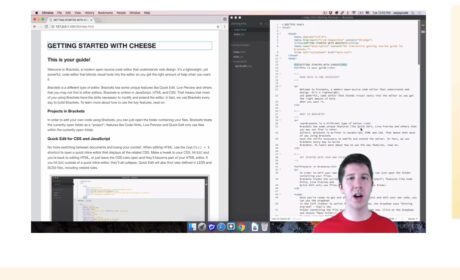
This Introduction to Coding with HTML, CSS, & Bootstrap course will help you understand how websites are built, styled, and adapted for different screen sizes. If you want to learn the foundations of front-end web development, this course gives you a clear introduction to HTML for webpage structure, CSS for styling and layout, and Bootstrap for responsive web design.
Our Introduction to Coding with HTML, CSS, and Bootstrap course is suitable for learners who want to build core coding skills for web design, digital work, or entry-level web development. You will explore the key tools used to create modern websites, work through guided learning, and build a stronger understanding of how front-end code works in real web projects.
Sign up now and take the first step toward your career in web design and development.
By completing this web design course HTML CSS Bootstrap, you should be able to:
This Bootstrap course online UK is designed to give learners a flexible, supportive, and rewarding way to build coding skills online. From recognised accreditation to learner-friendly features, here are some of the main reasons people love this training and choose to enrol:
This CSS Bootstrap Course UK is suitable for:
There are no prerequisites for the Introduction to Coding with HTML, CSS, & Bootstrap course. You may use any internet-enabled device to study at your own speed, it is adaptable and available to students of all skill levels.
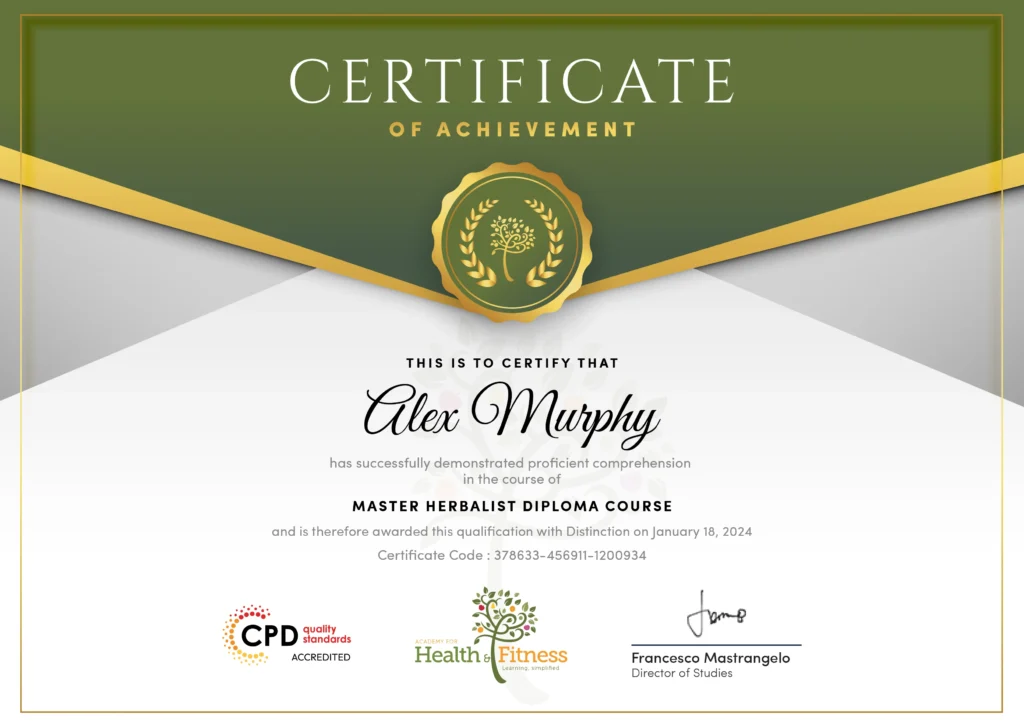
After successfully completing the course, you will qualify for a CPD Certificate as proof of your continued professional development and achievement. This certificate can enhance your professional profile and showcase your commitment to building relevant skills and knowledge. You can receive your digital certificate for only £10, or request a printed hard copy sent by post for just £29 or both for £39.
An endorsed certificate will be issued for the learners as proof of their achievement after the completion of this Introduction to Coding with HTML, CSS, & Bootstrap course.
After successful course completion, learners will be able to order an endorsed certificate as proof of their new achievement. For only £99, you can order and get endorsed certificates delivered to your home. International students have to pay an extra £10 as a postage charge.
To complete the Introduction to Coding with HTML, CSS, & Bootstrap course, you will need to take an automated multiple-choice assessment. A score of 60% is required to pass.
The course also includes assignment questions to help you review and strengthen your understanding. You can complete these in your own time. An expert tutor will assess your work and provide feedback.
This Introduction to Coding with HTML, CSS, & Bootstrap course helps you build foundational coding and web design skills that can support further learning or entry-level digital roles. Possible career paths include:
Junior Web Developer
Average salary: £25,028 per year
Support the creation and maintenance of basic websites and web pages.
Front-End Developer
Average salary: £46,428 per year
Work on website layout, styling, and responsive user interfaces.
Web Designer
Average salary: £31,057 per year
Combine layout, visual presentation, and front-end coding skills to build websites.
UX or Design Assistant
Average salary: around £27,666 per year
Support teams working on layout, usability, and digital page presentation. UX-focused roles can progress into higher-paying positions over time.
Digital Marketing Assistant
Average salary: £26,401 per year
Support website updates, landing pages, email campaigns, and digital marketing content.
Email Marketing Executive
Average salary: £32,322 per year
Create and edit email templates with structured HTML, styling, and campaign content.
HTML is used to structure web pages, CSS is used to style them, and Bootstrap is a framework that helps you build responsive, mobile-friendly layouts more efficiently.
Bootstrap is used in website development to create responsive layouts, navigation, buttons, forms, and other front-end components.
CSS controls the visual presentation of a webpage, including colours, fonts, spacing, layout, and responsive design.
To use Bootstrap in HTML, you add the Bootstrap CSS and JavaScript files to your HTML document, then apply Bootstrap classes to elements such as containers, rows, columns, buttons, forms, and navigation bars. This helps you build responsive, mobile-friendly web pages more quickly without writing all the styling from scratch.
Yes. After successful completion of the Introduction to Coding with HTML, CSS, & Bootstrap course and assessment, you can order a CPD certificate. You can also order an endorsed certificate.
Yes. This is a beginner-friendly coding course and does not require previous experience.
This CSS Bootstrap Course helps you build the core knowledge needed for beginner-level web design and front-end web development learning.
This Introduction to Coding with HTML, CSS, & Bootstrap course online focuses specifically on the core front-end tools used to build and style websites, making it a more accessible starting point for beginners.
This online web development course UK is especially useful for beginners, students, freelancers, marketers, and business owners who want to understand website creation and responsive web design.
| Welcome | |||
| 1.1 Intro | 00:03:00 | ||
| 1.2 Install the Tools and Get Started | 00:05:00 | ||
| HTML 5 | |||
| 2.1 Intro to HTML | 00:01:00 | ||
| 2.2 What is HTML | 00:11:00 | ||
| 2.3 Start a New HTML File & Use Tags | 00:12:00 | ||
| 2.4 Header Tags | 00:05:00 | ||
| 2.5 Edit Text | 00:09:00 | ||
| 2.6 Links | 00:09:00 | ||
| 2.7 Images | 00:10:00 | ||
| 2.8 Lists | 00:04:00 | ||
| 2.9 Challenge 1 | 00:16:00 | ||
| 2.10 HTML Outro | 00:01:00 | ||
| CSS 3 | |||
| 3.1 CSS Intro | 00:04:00 | ||
| 3.2 Add CSS Styles | 00:16:00 | ||
| 3.3 Classes and IDs | 00:07:00 | ||
| 3.4 Borders | 00:06:00 | ||
| 3.5 Sizing | 00:04:00 | ||
| 3.6 Padding and Margin | 00:07:00 | ||
| 3.7 Text Styles | 00:04:00 | ||
| 3.8 DIVs | 00:08:00 | ||
| 3.9 Postioning | 00:08:00 | ||
| 3.10 Hover | 00:03:00 | ||
| 3.11 Easily Center Elements | 00:02:00 | ||
| 3.12 Fonts | 00:06:00 | ||
| 3.13 Challenge | 00:23:00 | ||
| 3.14 CSS Outro | 00:01:00 | ||
| Bootstrap | |||
| 4.1 Intro to Bootstrap | 00:02:00 | ||
| 4.2 Install Bootstrap | 00:10:00 | ||
| 4.3 Indenting and Containers | 00:07:00 | ||
| 4.4 The Grid System | 00:16:00 | ||
| 4.5 Images | 00:07:00 | ||
| 4.6 Buttons | 00:06:00 | ||
| 4.7 Challenge 3 | 00:11:00 | ||
| 4.8 Bootstrap Outro | 00:01:00 | ||
| Project 1 - Design a Landing Page | |||
| 5.1 Landing Page Intro | 00:01:00 | ||
| 5.2 Sketch Your Landing Page | 00:05:00 | ||
| 5.3 The Top Section | 00:16:00 | ||
| 5.4 Polish the Top Section | 00:06:00 | ||
| 5.5 Adding Images | 00:11:00 | ||
| 5.6 The Main Points Section | 00:14:00 | ||
| 5.7 Collecting Emails With an Opt-In Form | 00:11:00 | ||
| 5.8 Challenge 4 | 00:03:00 | ||
| 5.9 Landing Page Outro | 00:02:00 | ||
| 6.1 Business Site Intro | 00:01:00 | ||
| 6.2 Sketch Up | 00:03:00 | ||
| 6.3 Using Fancy Font Logo | 00:07:00 | ||
| 6.4 Carousel Basics | 00:10:00 | ||
| 6.5 Carousel Extras | 00:09:00 | ||
| 6.6 Text on Images | 00:15:00 | ||
| 6.7 Phone Number Icon | 00:04:00 | ||
| 6.8 Google Maps | 00:13:00 | ||
| 6.9 Font Awesome | 00:09:00 | ||
| 6.10 Challenge 4 | 00:08:00 | ||
| 6.11 Business Site Outro | 00:01:00 | ||
| Project 2 - Business Website | |||
| 7.1 Intro | 00:01:00 | ||
| 7.2 Portfolio Sketch | 00:08:00 | ||
| 7.3 Jumbotron | 00:10:00 | ||
| 7.4 Nav Bar | 00:24:00 | ||
| 7.5 Panels | 00:11:00 | ||
| 7.6 Challenge 5 | 00:13:00 | ||
| 7.7 Portfolio Outre | 00:01:00 | ||
| Project 3 - Portfolio | |||
| 8.1 Hosting | 00:01:00 | ||
| 8.2 Bluehost | 00:06:00 | ||
| 8.3 Uploading | 00:05:00 | ||
| 8.4 Tips | 00:11:00 | ||
| 8.5 Hosting Outro | 00:01:00 | ||
| Assignment | |||
| Understanding Closes | 00:04:00 | ||
| Order Your Certificate | |||
| Claim Your Certificates | 00:00:00 | ||
| Welcome | |||
| 1.1 Intro | 00:03:00 | ||
| 1.2 Install the Tools and Get Started | 00:05:00 | ||
| HTML 5 | |||
| 2.1 Intro to HTML | 00:01:00 | ||
| 2.2 What is HTML | 00:11:00 | ||
| 2.3 Start a New HTML File & Use Tags | 00:12:00 | ||
| 2.4 Header Tags | 00:05:00 | ||
| 2.5 Edit Text | 00:09:00 | ||
| 2.6 Links | 00:09:00 | ||
| 2.7 Images | 00:10:00 | ||
| 2.8 Lists | 00:04:00 | ||
| 2.9 Challenge 1 | 00:16:00 | ||
| 2.10 HTML Outro | 00:01:00 | ||
| CSS 3 | |||
| 3.1 CSS Intro | 00:04:00 | ||
| 3.2 Add CSS Styles | 00:16:00 | ||
| 3.3 Classes and IDs | 00:07:00 | ||
| 3.4 Borders | 00:06:00 | ||
| 3.5 Sizing | 00:04:00 | ||
| 3.6 Padding and Margin | 00:07:00 | ||
| 3.7 Text Styles | 00:04:00 | ||
| 3.8 DIVs | 00:08:00 | ||
| 3.9 Postioning | 00:08:00 | ||
| 3.10 Hover | 00:03:00 | ||
| 3.11 Easily Center Elements | 00:02:00 | ||
| 3.12 Fonts | 00:06:00 | ||
| 3.13 Challenge | 00:23:00 | ||
| 3.14 CSS Outro | 00:01:00 | ||
| Bootstrap | |||
| 4.1 Intro to Bootstrap | 00:02:00 | ||
| 4.2 Install Bootstrap | 00:10:00 | ||
| 4.3 Indenting and Containers | 00:07:00 | ||
| 4.4 The Grid System | 00:16:00 | ||
| 4.5 Images | 00:07:00 | ||
| 4.6 Buttons | 00:06:00 | ||
| 4.7 Challenge 3 | 00:11:00 | ||
| 4.8 Bootstrap Outro | 00:01:00 | ||
| Project 1 - Design a Landing Page | |||
| 5.1 Landing Page Intro | 00:01:00 | ||
| 5.2 Sketch Your Landing Page | 00:05:00 | ||
| 5.3 The Top Section | 00:16:00 | ||
| 5.4 Polish the Top Section | 00:06:00 | ||
| 5.5 Adding Images | 00:11:00 | ||
| 5.6 The Main Points Section | 00:14:00 | ||
| 5.7 Collecting Emails With an Opt-In Form | 00:11:00 | ||
| 5.8 Challenge 4 | 00:03:00 | ||
| 5.9 Landing Page Outro | 00:02:00 | ||
| 6.1 Business Site Intro | 00:01:00 | ||
| 6.2 Sketch Up | 00:03:00 | ||
| 6.3 Using Fancy Font Logo | 00:07:00 | ||
| 6.4 Carousel Basics | 00:10:00 | ||
| 6.5 Carousel Extras | 00:09:00 | ||
| 6.6 Text on Images | 00:15:00 | ||
| 6.7 Phone Number Icon | 00:04:00 | ||
| 6.8 Google Maps | 00:13:00 | ||
| 6.9 Font Awesome | 00:09:00 | ||
| 6.10 Challenge 4 | 00:08:00 | ||
| 6.11 Business Site Outro | 00:01:00 | ||
| Project 2 - Business Website | |||
| 7.1 Intro | 00:01:00 | ||
| 7.2 Portfolio Sketch | 00:08:00 | ||
| 7.3 Jumbotron | 00:10:00 | ||
| 7.4 Nav Bar | 00:24:00 | ||
| 7.5 Panels | 00:11:00 | ||
| 7.6 Challenge 5 | 00:13:00 | ||
| 7.7 Portfolio Outre | 00:01:00 | ||
| Project 3 - Portfolio | |||
| 8.1 Hosting | 00:01:00 | ||
| 8.2 Bluehost | 00:06:00 | ||
| 8.3 Uploading | 00:05:00 | ||
| 8.4 Tips | 00:11:00 | ||
| 8.5 Hosting Outro | 00:01:00 | ||
| Assignment | |||
| Understanding Closes | 00:04:00 | ||
| Order Your Certificate | |||
| Claim Your Certificates | 00:00:00 | ||