Functional Skills IT is a CPD accredited course for fitness industry professionals and IT users, offering essential digital skills, essential computer knowledge, and a recognized certificate of accreditation to support workplace confidence and career development.
0
(0 Reviews)
270 Students
Exclusive Deal! 94% Off, Today Only!
Sale Ends In
CPD Point
Functional Skills IT is a essential CPD accredited course designed to help fitness professionals and workplace learners develop essential digital skills for today’s technology-driven environment. With digital skills becoming increasingly important across UK workplaces, the UK government highlights that basic digital capabilities are essential for accessing opportunities, improving productivity, and supporting career progression.
This course provides a strong foundation in computer systems, hardware, operating systems, data storage, file management, software applications, networking, cybersecurity, databases, and troubleshooting. You will learn how computers work, how to manage digital information safely, and how to solve common IT issues with confidence.
Whether you work in the fitness industry, administration, coaching, or support roles, this course can help you improve efficiency, communicate professionally, and adapt to modern digital workplaces. Completing this course with a recognised CPD certificate can strengthen your CV and demonstrate valuable IT skills to employers.
This CPD Accredited Functional Skills IT course is designed to provide essential digital knowledge and essential computer skills, making it an ideal IT skills course for fitness professionals, workplace learners, and anyone looking to improve their confidence in using modern technology.
Throughout this online IT training course, you will develop a strong understanding of computer systems, hardware, software applications, operating systems, data storage, file management, networking, and cybersecurity. You will also learn how to manage digital tools effectively and troubleshoot common IT issues in professional environments.
In addition to technical knowledge, this course helps you build essential workplace digital skills, enabling you to work more efficiently, protect information, and adapt to today’s technology-focused industries. Whether you are working in the fitness sector or developing your career, this course provides valuable skills and a recognised CPD certificate to support your professional growth.
By completing this Functional Skills IT online course, you will:
Whether you are starting your digital skills journey or looking to improve your confidence with technology, this Functional Skills IT course provides the essential knowledge and essential skills needed to succeed in today’s digital workplace.
Designed for fitness professionals, workplace learners, and anyone who wants to strengthen their IT abilities, this course helps you understand computer systems, hardware, software, networks, data management, cybersecurity, and troubleshooting. You will gain valuable skills that can improve efficiency, communication, and productivity in professional environments.
This course supports your career development by helping you adapt to modern technology, enhance your CV, and demonstrate your commitment to continuous professional development through a CPD Accredited certificate.
This Functional Skills IT course is ideal for individuals who want to develop essential computer skills and improve their confidence in using technology for personal and professional purposes.
It is suitable for:
There are no specific entry requirements to enrol in this Functional Skills IT course. It is suitable for anyone who wants to develop essential computer and digital skills.
The Functional Skills IT course can be accessed easily from any internet-enabled device, allowing you to study from the comfort of your home at your own pace.
All you need is a willingness to learn, basic literacy skills, and to be aged 16 or above.
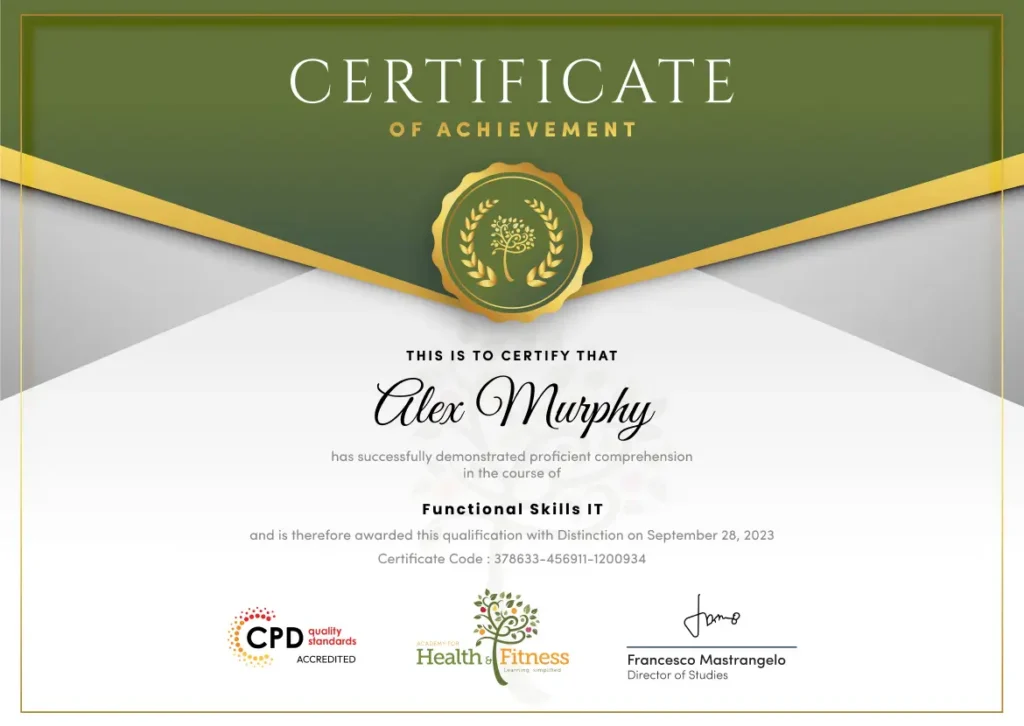
After successfully completing the Functional Skills ITÂ
course, you will qualify for a CPD Certificate as proof of your continued professional development and achievement. This certificate can enhance your professional profile and showcase your commitment to building relevant skills and knowledge. You can receive your digital certificate for only £10, or request a printed hard copy sent by post for just £29 or both for £39.
For assessing your learning, you have to complete an automated MCQ exam. It is required for the students to score at least 60% to pass the exam and fulfil the Quality Licence Scheme-endorsed certificate criteria. Learners can apply for the certificate after they clear the exam.
There are assignment questions provided at the end of the course. You are suggested to complete the questions to enrich your understanding of the course. You can complete this according to your preferred time. The expert tutor will provide feedback on your performance after assessing your assignment.
The Functional Skills IT course provides essential digital knowledge and essential computer skills that can support career development across a wide range of technology-based workplace roles. While this course does not provide a professional licence, it helps learners develop confidence in using computers, managing digital systems, understanding IT processes, and supporting everyday technology needs in professional environments.
This Functional Skills IT course covers essential computer skills, including computer hardware, operating systems, software applications, data storage, networking, cybersecurity, troubleshooting, databases, and software development concepts. It is designed to help learners build essential digital knowledge for modern workplaces.
Yes. This course is suitable for beginners with little or no previous IT experience. It provides step-by-step knowledge of computer systems, making it ideal for anyone looking to improve their digital confidence.
Yes. Functional Skills IT is delivered online, allowing you to study from home at your own pace. With flexible learning access, you can complete the course around your work, family, or other commitments.
Yes. Successful learners will receive a CPD Accredited certificate upon completion. This certificate can help demonstrate your commitment to developing valuable IT skills and strengthen your professional profile.
No. This course does not provide a professional IT licence or qualify you as a certified IT specialist. However, it provides essential IT knowledge that can support entry-level roles and further learning.
You will learn how computers work, how to manage files, use applications, configure devices, understand networks, protect digital information, and troubleshoot common IT issues.
This course is ideal for beginners, fitness professionals, workplace learners, administrative staff, and anyone who wants to improve their computer literacy and digital skills.
The course includes online assessments designed to test your understanding of key IT concepts. Learners can complete assessments at their own pace and receive results after completion.
Yes. Digital skills are valuable across many industries. This course can support progression into roles such as IT support assistant, administrative assistant, digital support worker, and other technology-based positions.
Technology is essential in today’s workplace. This course helps you gain confidence using computers, understand digital systems, improve productivity, and develop essential skills that can support your personal and professional growth
| Section 01: How People Use Computers | |||
| The Case for Computer Literacy | 00:03:00 | ||
| Features Common to Every Computing Device | 00:02:00 | ||
| Common General-Purpose Computing Devices | 00:02:00 | ||
| Networks of Computing Devices | 00:04:00 | ||
| Remotely-Accessed Computer Systems | 00:04:00 | ||
| Specialized Computer Systems | 00:02:00 | ||
| Specialty I/O Devices | 00:01:00 | ||
| Section 02: System Hardware | |||
| CPUs | 00:03:00 | ||
| Passive and Active Cooling | 00:03:00 | ||
| RAM and Active Memory | 00:05:00 | ||
| Motherboards | 00:03:00 | ||
| Power Supplies | 00:03:00 | ||
| AMA – Ask Me Anything about System Hardware | 00:07:00 | ||
| Section 03: Device Ports and Peripherals | |||
| Ports and Connectors | 00:03:00 | ||
| General Use I/O Devices | 00:03:00 | ||
| AMA – Ask Me Anything about I/O, Ports and Peripherals | 00:07:00 | ||
| Section 04: Data Storage and Sharing | |||
| Basics of Binary | 00:04:00 | ||
| Storage Technologies | 00:04:00 | ||
| Mass Storage Variation | 00:03:00 | ||
| AMA – Ask Me Anything about Data Storage and Sharing | 00:07:00 | ||
| Section 05: Understanding Operating Systems | |||
| Operating System Functions | 00:04:00 | ||
| Operating System Interfaces | 00:05:00 | ||
| AMA – Ask Me Anything about Understanding OS’s | 00:05:00 | ||
| Section 06: Setting Up and Configuring a PC | |||
| Preparing the Work Area | 00:02:00 | ||
| Setting up a Desktop PC | 00:01:00 | ||
| Completing PC Setup | 00:04:00 | ||
| AMA – Ask Me Anything about Setting up and Configuring a PC | 00:09:00 | ||
| Section 07: Setting Up and Configuring a Mobile Device | |||
| Personalizing a Tablet | 00:08:00 | ||
| AMA – Ask Me Anything about Mobile Devices Part 1 | 00:07:00 | ||
| AMA – Ask Me Anything about Mobile Devices Part 2 | 00:07:00 | ||
| Section 08: Managing Files | |||
| File Management Tools | 00:02:00 | ||
| File Manipulation | 00:06:00 | ||
| Backups | 00:03:00 | ||
| AMA – Ask Me Anything about Managing Files | 00:08:00 | ||
| Section 09: Using and Managing Application Software | |||
| Walking Survey of Applications | 00:03:00 | ||
| Managing Applications | 00:03:00 | ||
| Applications and Extensions | 00:04:00 | ||
| AMA – Ask Me Anything about Working with Applications | 00:07:00 | ||
| Section 10: Configuring Network and Internet Connectivity | |||
| Wi-Fi Setup | 00:06:00 | ||
| Going High Speed | 00:03:00 | ||
| Setting Up and Sharing Printers | 00:05:00 | ||
| AMA – Ask Me Anything about Networks and Internet Connectivity Part 1 | 00:07:00 | ||
| AMA – Ask Me Anything about Networks and Internet Connectivity Part 2 | 00:05:00 | ||
| Section 11: IT Security Threat Mitigation | |||
| Physical Security | 00:05:00 | ||
| Dealing with Malware | 00:03:00 | ||
| Password Management | 00:03:00 | ||
| Clickworthy | 00:03:00 | ||
| Perils of Public Internet | 00:02:00 | ||
| AMA – Ask Me Anything about IT Threat Mitigation Part 1 | 00:07:00 | ||
| AMA – Ask Me Anything about IT Threat Mitigation Part 2 | 00:08:00 | ||
| Section 12: Computer Maintenance and Management | |||
| Power Management | 00:02:00 | ||
| Cleaning and Maintaining Computers | 00:02:00 | ||
| Trash it or Stash it? | 00:02:00 | ||
| AMA – Ask Me Anything about Computer Maintenance and Management | 00:11:00 | ||
| Section 13: IT Troubleshooting | |||
| Troubleshooting 101 | 00:03:00 | ||
| AMA – Ask Me Anything about Troubleshooting Computers Part 1 | 00:10:00 | ||
| AMA – Ask Me Anything about Troubleshooting Computers Part 2 | 00:11:00 | ||
| Section 14: Understanding Databases | |||
| Introduction to Databases | 00:06:00 | ||
| Database Details | 00:06:00 | ||
| AMA – Ask Me Anything about Databases | 00:06:00 | ||
| Section 15: Developing and Implementing Software | |||
| Introduction to Programming | 00:04:00 | ||
| Programming with a PBJ Sandwich | 00:08:00 | ||
| AMA – Ask Me Anything about Programming | 00:04:00 | ||
| Section 01: How People Use Computers | |||
| The Case for Computer Literacy | 00:03:00 | ||
| Features Common to Every Computing Device | 00:02:00 | ||
| Common General-Purpose Computing Devices | 00:02:00 | ||
| Networks of Computing Devices | 00:04:00 | ||
| Remotely-Accessed Computer Systems | 00:04:00 | ||
| Specialized Computer Systems | 00:02:00 | ||
| Specialty I/O Devices | 00:01:00 | ||
| Section 02: System Hardware | |||
| CPUs | 00:03:00 | ||
| Passive and Active Cooling | 00:03:00 | ||
| RAM and Active Memory | 00:05:00 | ||
| Motherboards | 00:03:00 | ||
| Power Supplies | 00:03:00 | ||
| AMA – Ask Me Anything about System Hardware | 00:07:00 | ||
| Section 03: Device Ports and Peripherals | |||
| Ports and Connectors | 00:03:00 | ||
| General Use I/O Devices | 00:03:00 | ||
| AMA – Ask Me Anything about I/O, Ports and Peripherals | 00:07:00 | ||
| Section 04: Data Storage and Sharing | |||
| Basics of Binary | 00:04:00 | ||
| Storage Technologies | 00:04:00 | ||
| Mass Storage Variation | 00:03:00 | ||
| AMA – Ask Me Anything about Data Storage and Sharing | 00:07:00 | ||
| Section 05: Understanding Operating Systems | |||
| Operating System Functions | 00:04:00 | ||
| Operating System Interfaces | 00:05:00 | ||
| AMA – Ask Me Anything about Understanding OS’s | 00:05:00 | ||
| Section 06: Setting Up and Configuring a PC | |||
| Preparing the Work Area | 00:02:00 | ||
| Setting up a Desktop PC | 00:01:00 | ||
| Completing PC Setup | 00:04:00 | ||
| AMA – Ask Me Anything about Setting up and Configuring a PC | 00:09:00 | ||
| Section 07: Setting Up and Configuring a Mobile Device | |||
| Personalizing a Tablet | 00:08:00 | ||
| AMA – Ask Me Anything about Mobile Devices Part 1 | 00:07:00 | ||
| AMA – Ask Me Anything about Mobile Devices Part 2 | 00:07:00 | ||
| Section 08: Managing Files | |||
| File Management Tools | 00:02:00 | ||
| File Manipulation | 00:06:00 | ||
| Backups | 00:03:00 | ||
| AMA – Ask Me Anything about Managing Files | 00:08:00 | ||
| Section 09: Using and Managing Application Software | |||
| Walking Survey of Applications | 00:03:00 | ||
| Managing Applications | 00:03:00 | ||
| Applications and Extensions | 00:04:00 | ||
| AMA – Ask Me Anything about Working with Applications | 00:07:00 | ||
| Section 10: Configuring Network and Internet Connectivity | |||
| Wi-Fi Setup | 00:06:00 | ||
| Going High Speed | 00:03:00 | ||
| Setting Up and Sharing Printers | 00:05:00 | ||
| AMA – Ask Me Anything about Networks and Internet Connectivity Part 1 | 00:07:00 | ||
| AMA – Ask Me Anything about Networks and Internet Connectivity Part 2 | 00:05:00 | ||
| Section 11: IT Security Threat Mitigation | |||
| Physical Security | 00:05:00 | ||
| Dealing with Malware | 00:03:00 | ||
| Password Management | 00:03:00 | ||
| Clickworthy | 00:03:00 | ||
| Perils of Public Internet | 00:02:00 | ||
| AMA – Ask Me Anything about IT Threat Mitigation Part 1 | 00:07:00 | ||
| AMA – Ask Me Anything about IT Threat Mitigation Part 2 | 00:08:00 | ||
| Section 12: Computer Maintenance and Management | |||
| Power Management | 00:02:00 | ||
| Cleaning and Maintaining Computers | 00:02:00 | ||
| Trash it or Stash it? | 00:02:00 | ||
| AMA – Ask Me Anything about Computer Maintenance and Management | 00:11:00 | ||
| Section 13: IT Troubleshooting | |||
| Troubleshooting 101 | 00:03:00 | ||
| AMA – Ask Me Anything about Troubleshooting Computers Part 1 | 00:10:00 | ||
| AMA – Ask Me Anything about Troubleshooting Computers Part 2 | 00:11:00 | ||
| Section 14: Understanding Databases | |||
| Introduction to Databases | 00:06:00 | ||
| Database Details | 00:06:00 | ||
| AMA – Ask Me Anything about Databases | 00:06:00 | ||
| Section 15: Developing and Implementing Software | |||
| Introduction to Programming | 00:04:00 | ||
| Programming with a PBJ Sandwich | 00:08:00 | ||
| AMA – Ask Me Anything about Programming | 00:04:00 | ||