Complete Web Development is a CPD-accredited course for aspiring web developers, beginners, students, freelancers, and professionals who want to build strong website development skills.
Learn HTML5, CSS3, JavaScript, jQuery, Bootstrap, WordPress, PHP, MySQL, APIs, and Python to create responsive websites, improve technical confidence, and support career growth.
0
(0 Reviews)
8 Students
Exclusive Deal! 94% Off, Today Only!
Sale Ends In
CPD PointComplete Web Development gives you the essential digital skills needed to build modern, responsive websites and grow in today’s competitive job market. In the UK, 82% of jobs require digital skills, making web development knowledge valuable for learners, job seekers, freelancers, and professionals.
This course guides you through HTML5, CSS3, JavaScript, jQuery, Bootstrap 4, WordPress, PHP, MySQL, APIs, Python, and advanced web features. You will learn how websites are structured, styled, made interactive, connected to databases, and improved with real-world tools.
By completing this course, you can strengthen your CV, improve your technical confidence, support freelance or business projects, and prepare for entry-level web development opportunities. Whether you want to start a new career, upgrade your skills, or manage websites professionally, this CPD-accredited course can help you move forward with confidence.
This Complete Web Development course is designed to provide a strong foundation in modern website creation, front-end development, back-end basics, and digital problem-solving. It is an ideal CPD-accredited course for beginners, students, freelancers, and professionals who want to develop essential web development skills and build confidence in creating websites.
Throughout this course, you will explore essential web technologies, including HTML5, CSS3, JavaScript, jQuery, Bootstrap 4, WordPress, PHP, MySQL, APIs, and Python. You will learn how websites are structured, styled, made interactive, connected to databases, and improved using popular tools and programming languages used in real-world web projects.
In addition to technical knowledge, this course helps you understand how different web technologies work together to create responsive, user-friendly, and functional websites. By completing this course, you can strengthen your CV, support freelance projects, improve business websites, and prepare for entry-level opportunities in web development and digital careers.
By completing this Complete Web Development online course, you will:
Whether you are starting your career, changing direction, or looking to improve your digital skills, this Complete Web Development course provides the essential knowledge needed to build modern websites and understand how web technologies work.
As a comprehensive web development training course, it covers key tools and languages such as HTML5, CSS3, JavaScript, jQuery, Bootstrap 4, WordPress, PHP, MySQL, APIs, and Python. This helps you build confidence in website structure, design, interactivity, database connection, and responsive development.
This course supports your progression into roles such as web developer, front-end developer, WordPress developer, junior programmer, digital assistant, or freelance website creator. It also gives business owners and professionals the skills to manage websites, support digital projects, and improve career opportunities in the growing technology sector.
This Complete Web Development course is ideal for learners who want to build coding, website design, and digital development skills.
It is suitable for:
There are no specific prerequisites to enrol in this Complete Web Development course. Anyone interested in coding, website design, or digital skills can take this course.
The Complete Web Development course is fully accessible from any internet-enabled smart device, allowing you to study from the comfort of your home at your own pace.
All you need is a passion for learning, basic literacy skills, internet access, and to be over the age of 16.
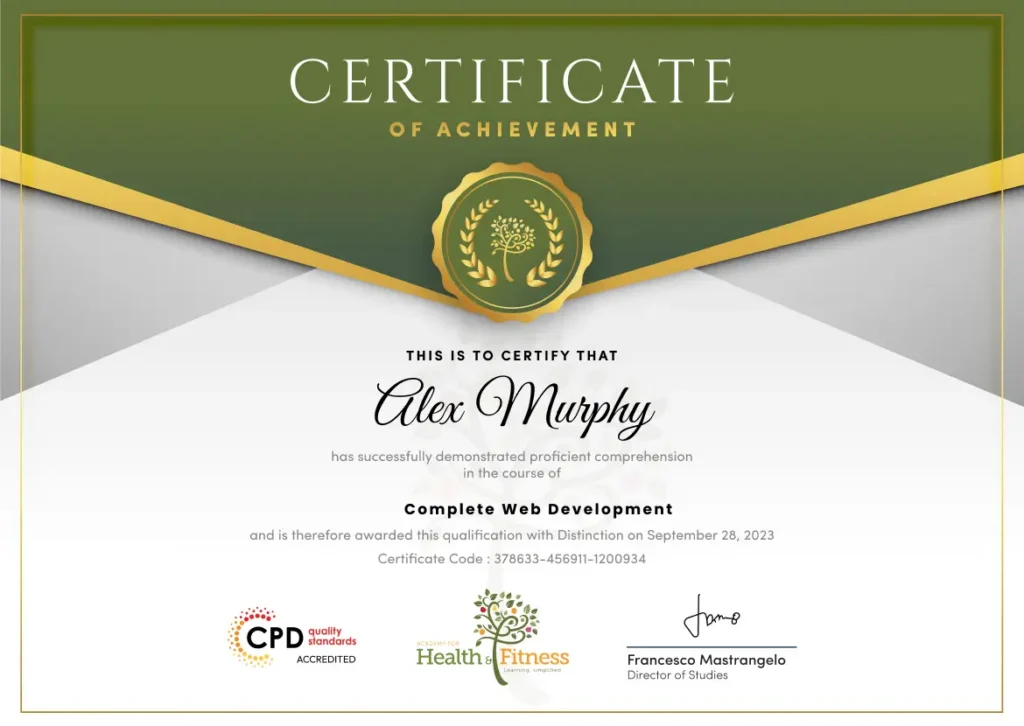
After successfully completing the Complete Web Development course, you will qualify for a CPD Certificate as proof of your continued professional development and achievement. This certificate can enhance your professional profile and showcase your commitment to building relevant skills and knowledge. You can receive your digital certificate for only £10, or request a printed hard copy sent by post for just £29 or both for £39.
For assessing your learning, you have to complete an automated MCQ exam. It is required for the students to score at least 60% to pass the exam and fulfil the Quality Licence Scheme-endorsed certificate criteria. Learners can apply for the certificate after they clear the exam.
There are assignment questions provided at the end of the course. You are suggested to complete the questions to enrich your understanding of the course. You can complete this according to your preferred time. The expert tutor will provide feedback on your performance after assessing your assignment.
The Complete Web Development course is an online knowledge-based training designed to build a strong foundation in coding, website design, databases, APIs, and digital development. While it does not provide a professional licence, it can support entry-level and junior opportunities across web development, IT, digital agencies, businesses, and freelance platforms.
This course covers essential web development topics, including HTML5, CSS3, JavaScript, jQuery, Bootstrap 4, WordPress, PHP, MySQL, APIs, Python, and special HTML5 and CSS3 features. It is designed to help learners understand how modern websites are built and managed.
Yes. This course is suitable for beginners with no previous coding experience. It starts with the basics and gradually introduces key web development tools, making it accessible for students, job seekers, freelancers, and professionals.
Yes. Complete Web Development is delivered online, allowing you to study from home at your own pace. You can access the course from any internet-enabled device and learn around your work, study, or personal schedule.
Yes. After successfully completing the course, learners can receive a CPD-accredited certificate. This certificate can help demonstrate your learning, strengthen your CV, and support your professional development in digital and web-related roles.
This course provides valuable knowledge and essential understanding, but it does not guarantee a professional job role or licence. It helps you build a strong foundation for entry-level web development, freelance work, or further study.
This course can support your progression towards roles such as web developer, front-end developer, WordPress developer, junior software developer, web designer, database assistant, API integration assistant, or IT support technician.
The course may include an assignment or assessment to check your understanding of the learning materials. Assessment helps you review your knowledge and demonstrate what you have learned throughout the course.
This course is ideal for beginners, students, freelancers, business owners, digital marketers, career changers, and professionals who want to learn coding, website design, WordPress, databases, APIs, and modern web technologies.
Yes. Web development skills are valuable across many UK industries, including technology, marketing, e-commerce, education, finance, healthcare, and business services. These skills can support employment, freelance work, and digital business growth.
Websites are essential for modern businesses, services, and online communication. This course helps you understand how to create, manage, and improve websites, giving you essential digital skills that can boost your confidence, CV, and career opportunities.
| Section 01: Getting Started | |||
| Introduction to Getting Started | 00:02:00 | ||
| Course Curriculum | 00:07:00 | ||
| How to Get Pre-Requisites | 00:04:00 | ||
| Getting Started On Windows or Linux | 00:03:00 | ||
| How to ask Great Questions | 00:03:00 | ||
| FAQ’s | 00:01:00 | ||
| Section 02: HTML 5 | |||
| Introduction to HTML 5 | 00:06:00 | ||
| Your First Hello World! Webpage | 00:13:00 | ||
| Overview of a Webpage | 00:07:00 | ||
| Creating a Full HTML Webpage | 00:14:00 | ||
| Header Tags | 00:07:00 | ||
| Paragraph Tags | 00:08:00 | ||
| Formatting Text | 00:15:00 | ||
| Unordered Lists | 00:05:00 | ||
| Ordered Lists | 00:04:00 | ||
| Images | 00:09:00 | ||
| Forms | 00:11:00 | ||
| Form Actions | 00:07:00 | ||
| Tables | 00:12:00 | ||
| Links | 00:08:00 | ||
| HTML Entities | 00:05:00 | ||
| IFrames | 00:05:00 | ||
| Integrate All Together | 00:05:00 | ||
| Setting Up Hosting Environment | 00:06:00 | ||
| Installing The free FTP Solution (FileZilla) | 00:04:00 | ||
| Setting Up FTP(File Transfer Protocol) | 00:05:00 | ||
| Upload Project to Hosting Server | 00:06:00 | ||
| References to HTML5 | 00:01:00 | ||
| HTML5 Assessment Test | 00:02:00 | ||
| Solution for HTML5 Assessment Test | 00:02:00 | ||
| 06 HTML5 Questions and Answers | 00:08:00 | ||
| Section 03: CSS 3 | |||
| Introduction to CSS 3 | 00:07:00 | ||
| What is CSS | 00:04:00 | ||
| Inline CSS | 00:05:00 | ||
| Internal CSS | 00:09:00 | ||
| Classes and IDs | 00:08:00 | ||
| Divs | 00:06:00 | ||
| Colors | 00:07:00 | ||
| Floating | 00:13:00 | ||
| Positioning | 00:07:00 | ||
| Margins | 00:08:00 | ||
| Padding | 00:07:00 | ||
| Borders | 00:10:00 | ||
| Fonts | 00:08:00 | ||
| Styling Text | 00:04:00 | ||
| Aligning Text | 00:06:00 | ||
| Styling Links | 00:06:00 | ||
| CSS Project – – Website | 00:07:00 | ||
| External CSS | 00:07:00 | ||
| References to CSS | 00:01:00 | ||
| CSS Assessment Test | 00:02:00 | ||
| Solution for CSS Assessment Tes | 00:04:00 | ||
| 05 CSS Questions and Answers | 00:05:00 | ||
| Section 04: JavaScript | |||
| Introduction to JavaScript | 00:03:00 | ||
| What is JavaScript | 00:06:00 | ||
| Internal JavaScript | 00:10:00 | ||
| Accessing Elements | 00:18:00 | ||
| Responding to a Click | 00:28:00 | ||
| Changing a Website Content | 00:06:00 | ||
| Manipulating Styles with JavaScript | 00:07:00 | ||
| Mini Challenge – Disappearing div tag | 00:05:00 | ||
| If Statements | 00:09:00 | ||
| JavaScript Mini Project Counter – Inc-dec | 00:08:00 | ||
| While Loop Statements | 00:08:00 | ||
| For Loop Statements | 00:06:00 | ||
| Functions | 00:07:00 | ||
| JavaScript Project – Stopwatch | 00:07:00 | ||
| External JavaScript | 00:06:00 | ||
| References for JavaScript | 00:01:00 | ||
| JavaScript Assessment Test | 00:02:00 | ||
| Solution for JavaScript Assessment Test | 00:05:00 | ||
| 06 JavaScript Questions and Answers | 00:05:00 | ||
| Section 05: jQuery | |||
| Introduction to jQuery | 00:02:00 | ||
| What is jQuery | 00:04:00 | ||
| How to Use jQuery in Webpage | 00:06:00 | ||
| Detecting a Link | 00:09:00 | ||
| Changing Website content | 00:13:00 | ||
| Changing Website Styles | 00:05:00 | ||
| Fading Content | 00:08:00 | ||
| Animating Content | 00:08:00 | ||
| Ajax | 00:05:00 | ||
| Regular Expressions | 00:20:00 | ||
| Mini Project – Form Validation | 00:14:00 | ||
| What is jQuery UI | 00:04:00 | ||
| Draggables & Resizables | 00:05:00 | ||
| Droppables | 00:03:00 | ||
| Accordion tools | 00:04:00 | ||
| Sortables | 00:02:00 | ||
| Menu | 00:03:00 | ||
| jQuery Project – Code Player | 00:05:00 | ||
| jQuery References | 00:01:00 | ||
| jQuery Assessment Test | 00:01:00 | ||
| Solution for jQuery Assessment Test | 00:03:00 | ||
| 04 jQuery Questions and Answers | 00:03:00 | ||
| Section 06: Bootstrap 4 | |||
| Introduction to Bootstrap 4 | 00:02:00 | ||
| What is Bootstrap 4 | 00:03:00 | ||
| First Bootstrap Website | 00:08:00 | ||
| The Grid System | 00:07:00 | ||
| Introducing Navbars | 00:06:00 | ||
| Forms | 00:02:00 | ||
| Tables | 00:05:00 | ||
| Bootstrap Components | 00:06:00 | ||
| Cards | 00:06:00 | ||
| Modals | 00:05:00 | ||
| Popovers | 00:04:00 | ||
| Tooltips | 00:04:00 | ||
| ScrollSpy | 00:05:00 | ||
| Project – App Landing Page | 00:05:00 | ||
| The Free Bootstrap Themes | 00:02:00 | ||
| References – Bootstrap 4 | 00:01:00 | ||
| Bootstrap 4 Assessment Test | 00:01:00 | ||
| Solution for Bootstrap 4 Assessment Test | 00:01:00 | ||
| 05 Bootstrap 4 Questions and Answers | 00:03:00 | ||
| Section 07: WordPress | |||
| Introduction to WordPress | 00:03:00 | ||
| What is WordPress | 00:06:00 | ||
| The WordPress Installation | 00:22:00 | ||
| The WordPress Configuration | 00:03:00 | ||
| The WordPress Dashboard | 00:04:00 | ||
| WordPress Themes | 00:08:00 | ||
| Creating a Blog | 00:03:00 | ||
| Creating an e-Commerce Site | 00:05:00 | ||
| References – WordPress | 00:01:00 | ||
| WordPress Challenge Assessment Test – Create a Site | 00:01:00 | ||
| Solution for WordPress Assessment Test | 00:02:00 | ||
| 05 WordPress Questions and Answers | 00:03:00 | ||
| Section 08: PHP | |||
| Introduction to PHP | 00:02:00 | ||
| What is PHP | 00:04:00 | ||
| Installation for Apache, PHP & MySQL | 00:06:00 | ||
| PHP Hello World Program | 00:08:00 | ||
| Variables | 00:10:00 | ||
| Arrays | 00:04:00 | ||
| If Statements | 00:05:00 | ||
| While Loop | 00:05:00 | ||
| Do-While Loop | 00:03:00 | ||
| For Loop | 00:06:00 | ||
| For Each Loop | 00:07:00 | ||
| PHP Methods | 00:08:00 | ||
| GET Variables | 00:09:00 | ||
| POST Variables | 00:04:00 | ||
| Sending an Email With PHP | 00:04:00 | ||
| Project – Contact Form | 00:08:00 | ||
| References – PHP | 00:01:00 | ||
| PHP Assessment Test | 00:01:00 | ||
| Solution for PHP Assessment Test | 00:04:00 | ||
| 05 PHP Questions and Answers | 00:04:00 | ||
| Section 09: MySQL | |||
| Introduction to MySQL | 00:04:00 | ||
| What is MySQL | 00:03:00 | ||
| Connecting to a Database | 00:09:00 | ||
| Inserting Data rows | 00:15:00 | ||
| Retrieving Data From A Database | 00:05:00 | ||
| Update / Modifying Data rows | 00:08:00 | ||
| Reading Multiple Data Rows through Loop | 00:05:00 | ||
| Session Variables | 00:07:00 | ||
| Cookies | 00:05:00 | ||
| Storing Passwords Securely | 00:05:00 | ||
| References – MySQL | 00:01:00 | ||
| MySQL Assessment Test | 00:02:00 | ||
| Solution for MySQL Assessment Test | 00:02:00 | ||
| 04 MySQL Questions and Answers | 00:02:00 | ||
| Section 10: APIs | |||
| Introduction to APIs | 00:02:00 | ||
| What is an API | 00:03:00 | ||
| The Google Maps API | 00:07:00 | ||
| Geocoding with Google Maps | 00:04:00 | ||
| Mini Challenge Place Auto Complete | 00:04:00 | ||
| Facebook Login API | 00:24:00 | ||
| Section 11: HTML 5 & CSS 3 Special Features | |||
| HTML 5 Form Features | 00:09:00 | ||
| Audio & Video | 00:03:00 | ||
| The HTML 5 Canvas | 00:04:00 | ||
| Challenge – HTML 5 Clock Face with Numbers | 00:04:00 | ||
| What’s New in CSS 3 | 00:04:00 | ||
| Advanced Selectors | 00:03:00 | ||
| Pseudo Classes | 00:05:00 | ||
| Gradients | 00:03:00 | ||
| Shadows | 00:02:00 | ||
| Transformations | 00:03:00 | ||
| Animations | 00:04:00 | ||
| Layout | 00:04:00 | ||
| Calculations | 00:02:00 | ||
| References – HTML 5 & CSS 3 | 00:01:00 | ||
| HTML5 & CSS3 Assessment Test | 00:01:00 | ||
| Solution for HTML5 & CSS3 Assessment Test | 00:03:00 | ||
| 05 HTML5 & CSS3 Questions and Answers | 00:03:00 | ||
| Section 12: Python | |||
| Introduction to Python | 00:02:00 | ||
| What is Python | 00:02:00 | ||
| Python Installation | 00:06:00 | ||
| Pycharm-ce IDE installation | 00:06:00 | ||
| Setting up environment | 00:07:00 | ||
| Python Hello World program | 00:10:00 | ||
| Variables | 00:15:00 | ||
| Lists in Python | 00:11:00 | ||
| If Statements in Python | 00:08:00 | ||
| While Loop in Python | 00:04:00 | ||
| For Loop in Python | 00:08:00 | ||
| Functions in Python | 00:07:00 | ||
| Guessing Game in Python | 00:06:00 | ||
| Car Game in Python | 00:12:00 | ||
| References – Python | 00:01:00 | ||
| Python Assessment Test | 00:01:00 | ||
| Solution for Assessment Test | 00:02:00 | ||
| 05 Python Questions and Answers | 00:04:00 | ||
| Section 13: Bonus - Where do you go from here? | |||
| Where do you go from here | 00:03:00 | ||
| Assignment | |||
| Assignment – Complete Web Development | 00:00:00 | ||
| Section 01: Getting Started | |||
| Introduction to Getting Started | 00:02:00 | ||
| Course Curriculum | 00:07:00 | ||
| How to Get Pre-Requisites | 00:04:00 | ||
| Getting Started On Windows or Linux | 00:03:00 | ||
| How to ask Great Questions | 00:03:00 | ||
| FAQ’s | 00:01:00 | ||
| Section 02: HTML 5 | |||
| Introduction to HTML 5 | 00:06:00 | ||
| Your First Hello World! Webpage | 00:13:00 | ||
| Overview of a Webpage | 00:07:00 | ||
| Creating a Full HTML Webpage | 00:14:00 | ||
| Header Tags | 00:07:00 | ||
| Paragraph Tags | 00:08:00 | ||
| Formatting Text | 00:15:00 | ||
| Unordered Lists | 00:05:00 | ||
| Ordered Lists | 00:04:00 | ||
| Images | 00:09:00 | ||
| Forms | 00:11:00 | ||
| Form Actions | 00:07:00 | ||
| Tables | 00:12:00 | ||
| Links | 00:08:00 | ||
| HTML Entities | 00:05:00 | ||
| IFrames | 00:05:00 | ||
| Integrate All Together | 00:05:00 | ||
| Setting Up Hosting Environment | 00:06:00 | ||
| Installing The free FTP Solution (FileZilla) | 00:04:00 | ||
| Setting Up FTP(File Transfer Protocol) | 00:05:00 | ||
| Upload Project to Hosting Server | 00:06:00 | ||
| References to HTML5 | 00:01:00 | ||
| HTML5 Assessment Test | 00:02:00 | ||
| Solution for HTML5 Assessment Test | 00:02:00 | ||
| 06 HTML5 Questions and Answers | 00:08:00 | ||
| Section 03: CSS 3 | |||
| Introduction to CSS 3 | 00:07:00 | ||
| What is CSS | 00:04:00 | ||
| Inline CSS | 00:05:00 | ||
| Internal CSS | 00:09:00 | ||
| Classes and IDs | 00:08:00 | ||
| Divs | 00:06:00 | ||
| Colors | 00:07:00 | ||
| Floating | 00:13:00 | ||
| Positioning | 00:07:00 | ||
| Margins | 00:08:00 | ||
| Padding | 00:07:00 | ||
| Borders | 00:10:00 | ||
| Fonts | 00:08:00 | ||
| Styling Text | 00:04:00 | ||
| Aligning Text | 00:06:00 | ||
| Styling Links | 00:06:00 | ||
| CSS Project – – Website | 00:07:00 | ||
| External CSS | 00:07:00 | ||
| References to CSS | 00:01:00 | ||
| CSS Assessment Test | 00:02:00 | ||
| Solution for CSS Assessment Tes | 00:04:00 | ||
| 05 CSS Questions and Answers | 00:05:00 | ||
| Section 04: JavaScript | |||
| Introduction to JavaScript | 00:03:00 | ||
| What is JavaScript | 00:06:00 | ||
| Internal JavaScript | 00:10:00 | ||
| Accessing Elements | 00:18:00 | ||
| Responding to a Click | 00:28:00 | ||
| Changing a Website Content | 00:06:00 | ||
| Manipulating Styles with JavaScript | 00:07:00 | ||
| Mini Challenge – Disappearing div tag | 00:05:00 | ||
| If Statements | 00:09:00 | ||
| JavaScript Mini Project Counter – Inc-dec | 00:08:00 | ||
| While Loop Statements | 00:08:00 | ||
| For Loop Statements | 00:06:00 | ||
| Functions | 00:07:00 | ||
| JavaScript Project – Stopwatch | 00:07:00 | ||
| External JavaScript | 00:06:00 | ||
| References for JavaScript | 00:01:00 | ||
| JavaScript Assessment Test | 00:02:00 | ||
| Solution for JavaScript Assessment Test | 00:05:00 | ||
| 06 JavaScript Questions and Answers | 00:05:00 | ||
| Section 05: jQuery | |||
| Introduction to jQuery | 00:02:00 | ||
| What is jQuery | 00:04:00 | ||
| How to Use jQuery in Webpage | 00:06:00 | ||
| Detecting a Link | 00:09:00 | ||
| Changing Website content | 00:13:00 | ||
| Changing Website Styles | 00:05:00 | ||
| Fading Content | 00:08:00 | ||
| Animating Content | 00:08:00 | ||
| Ajax | 00:05:00 | ||
| Regular Expressions | 00:20:00 | ||
| Mini Project – Form Validation | 00:14:00 | ||
| What is jQuery UI | 00:04:00 | ||
| Draggables & Resizables | 00:05:00 | ||
| Droppables | 00:03:00 | ||
| Accordion tools | 00:04:00 | ||
| Sortables | 00:02:00 | ||
| Menu | 00:03:00 | ||
| jQuery Project – Code Player | 00:05:00 | ||
| jQuery References | 00:01:00 | ||
| jQuery Assessment Test | 00:01:00 | ||
| Solution for jQuery Assessment Test | 00:03:00 | ||
| 04 jQuery Questions and Answers | 00:03:00 | ||
| Section 06: Bootstrap 4 | |||
| Introduction to Bootstrap 4 | 00:02:00 | ||
| What is Bootstrap 4 | 00:03:00 | ||
| First Bootstrap Website | 00:08:00 | ||
| The Grid System | 00:07:00 | ||
| Introducing Navbars | 00:06:00 | ||
| Forms | 00:02:00 | ||
| Tables | 00:05:00 | ||
| Bootstrap Components | 00:06:00 | ||
| Cards | 00:06:00 | ||
| Modals | 00:05:00 | ||
| Popovers | 00:04:00 | ||
| Tooltips | 00:04:00 | ||
| ScrollSpy | 00:05:00 | ||
| Project – App Landing Page | 00:05:00 | ||
| The Free Bootstrap Themes | 00:02:00 | ||
| References – Bootstrap 4 | 00:01:00 | ||
| Bootstrap 4 Assessment Test | 00:01:00 | ||
| Solution for Bootstrap 4 Assessment Test | 00:01:00 | ||
| 05 Bootstrap 4 Questions and Answers | 00:03:00 | ||
| Section 07: WordPress | |||
| Introduction to WordPress | 00:03:00 | ||
| What is WordPress | 00:06:00 | ||
| The WordPress Installation | 00:22:00 | ||
| The WordPress Configuration | 00:03:00 | ||
| The WordPress Dashboard | 00:04:00 | ||
| WordPress Themes | 00:08:00 | ||
| Creating a Blog | 00:03:00 | ||
| Creating an e-Commerce Site | 00:05:00 | ||
| References – WordPress | 00:01:00 | ||
| WordPress Challenge Assessment Test – Create a Site | 00:01:00 | ||
| Solution for WordPress Assessment Test | 00:02:00 | ||
| 05 WordPress Questions and Answers | 00:03:00 | ||
| Section 08: PHP | |||
| Introduction to PHP | 00:02:00 | ||
| What is PHP | 00:04:00 | ||
| Installation for Apache, PHP & MySQL | 00:06:00 | ||
| PHP Hello World Program | 00:08:00 | ||
| Variables | 00:10:00 | ||
| Arrays | 00:04:00 | ||
| If Statements | 00:05:00 | ||
| While Loop | 00:05:00 | ||
| Do-While Loop | 00:03:00 | ||
| For Loop | 00:06:00 | ||
| For Each Loop | 00:07:00 | ||
| PHP Methods | 00:08:00 | ||
| GET Variables | 00:09:00 | ||
| POST Variables | 00:04:00 | ||
| Sending an Email With PHP | 00:04:00 | ||
| Project – Contact Form | 00:08:00 | ||
| References – PHP | 00:01:00 | ||
| PHP Assessment Test | 00:01:00 | ||
| Solution for PHP Assessment Test | 00:04:00 | ||
| 05 PHP Questions and Answers | 00:04:00 | ||
| Section 09: MySQL | |||
| Introduction to MySQL | 00:04:00 | ||
| What is MySQL | 00:03:00 | ||
| Connecting to a Database | 00:09:00 | ||
| Inserting Data rows | 00:15:00 | ||
| Retrieving Data From A Database | 00:05:00 | ||
| Update / Modifying Data rows | 00:08:00 | ||
| Reading Multiple Data Rows through Loop | 00:05:00 | ||
| Session Variables | 00:07:00 | ||
| Cookies | 00:05:00 | ||
| Storing Passwords Securely | 00:05:00 | ||
| References – MySQL | 00:01:00 | ||
| MySQL Assessment Test | 00:02:00 | ||
| Solution for MySQL Assessment Test | 00:02:00 | ||
| 04 MySQL Questions and Answers | 00:02:00 | ||
| Section 10: APIs | |||
| Introduction to APIs | 00:02:00 | ||
| What is an API | 00:03:00 | ||
| The Google Maps API | 00:07:00 | ||
| Geocoding with Google Maps | 00:04:00 | ||
| Mini Challenge Place Auto Complete | 00:04:00 | ||
| Facebook Login API | 00:24:00 | ||
| Section 11: HTML 5 & CSS 3 Special Features | |||
| HTML 5 Form Features | 00:09:00 | ||
| Audio & Video | 00:03:00 | ||
| The HTML 5 Canvas | 00:04:00 | ||
| Challenge – HTML 5 Clock Face with Numbers | 00:04:00 | ||
| What’s New in CSS 3 | 00:04:00 | ||
| Advanced Selectors | 00:03:00 | ||
| Pseudo Classes | 00:05:00 | ||
| Gradients | 00:03:00 | ||
| Shadows | 00:02:00 | ||
| Transformations | 00:03:00 | ||
| Animations | 00:04:00 | ||
| Layout | 00:04:00 | ||
| Calculations | 00:02:00 | ||
| References – HTML 5 & CSS 3 | 00:01:00 | ||
| HTML5 & CSS3 Assessment Test | 00:01:00 | ||
| Solution for HTML5 & CSS3 Assessment Test | 00:03:00 | ||
| 05 HTML5 & CSS3 Questions and Answers | 00:03:00 | ||
| Section 12: Python | |||
| Introduction to Python | 00:02:00 | ||
| What is Python | 00:02:00 | ||
| Python Installation | 00:06:00 | ||
| Pycharm-ce IDE installation | 00:06:00 | ||
| Setting up environment | 00:07:00 | ||
| Python Hello World program | 00:10:00 | ||
| Variables | 00:15:00 | ||
| Lists in Python | 00:11:00 | ||
| If Statements in Python | 00:08:00 | ||
| While Loop in Python | 00:04:00 | ||
| For Loop in Python | 00:08:00 | ||
| Functions in Python | 00:07:00 | ||
| Guessing Game in Python | 00:06:00 | ||
| Car Game in Python | 00:12:00 | ||
| References – Python | 00:01:00 | ||
| Python Assessment Test | 00:01:00 | ||
| Solution for Assessment Test | 00:02:00 | ||
| 05 Python Questions and Answers | 00:04:00 | ||
| Section 13: Bonus - Where do you go from here? | |||
| Where do you go from here | 00:03:00 | ||
| Assignment | |||
| Assignment – Complete Web Development | 00:00:00 | ||