Adobe Photoshop Training is a CPD-accredited course for beginners and aspiring designers seeking essential skills and a recognized certificate. Learn Photoshop, graphic design, and essential image-editing techniques for creative and professional development.
4.5
(8 Reviews)
40 Students
Exclusive Deal! 94% Off, Today Only!
Sale Ends In
CPD Point
Adobe Photoshop Training is designed to help learners develop valuable digital design skills that are increasingly important in today’s creative and professional industries. With the UK’s creative industries contributing over £100 billion annually to the economy, skilled professionals with digital design abilities are in growing demand across marketing, media, business, and fitness-related sectors.
This course provides essential knowledge of Photoshop tools, graphic design basics, image editing, creative techniques, and professional design workflows. You will learn how to create, edit, and enhance visual content with confidence, helping you produce high-quality designs for websites, social media, branding, and promotional materials.
Whether you are starting a creative career, enhancing your existing role, or building skills for the fitness industry, this CPD accredited course can strengthen your CV, improve your digital capabilities, and support your professional growth with a recognised certificate of achievement.
Adobe Photoshop Training is designed to help learners develop essential graphic design and digital editing skills, making it an ideal Photoshop course in the UK for individuals looking to enhance their creative abilities and professional opportunities.
Throughout this Adobe Photoshop training course, you will learn the fundamentals of graphic design, Photoshop tools, image editing techniques, creative layouts, and professional design practices. You will gain essential knowledge to create, modify, and improve digital images for branding, marketing, social media, and online content.
This course also helps you understand how visual communication plays an important role in modern industries, including creative businesses and fitness-related professions. By developing confidence in Photoshop and digital design, you can improve your career prospects, strengthen your portfolio, and gain a valuable CPD accredited certificate to support your professional development.
By completing this Adobe Photoshop Training online course, you will:
Whether you are starting your creative journey or looking to enhance your existing digital skills, this Adobe Photoshop Training course provides the essential knowledge and essential techniques needed to create professional visual content.
As a comprehensive Photoshop training course, it is designed to help you develop skills in graphic design, image editing, creative layouts, and digital content creation, supporting the needs of modern creative and business environments.
This course can help you progress into roles such as graphic designer, digital content creator, marketing assistant, or support your professional growth in industries where strong visual communication skills are valuable. It provides a strong foundation to build confidence, improve your portfolio, and advance your career opportunities.
This Adobe Photoshop Training course is ideal for individuals who want to develop essential Photoshop and graphic design skills for creative, professional, or personal projects.
It is suitable for:
There are no specific prerequisites required to enrol in this Adobe Photoshop Training course.
Anyone interested in developing digital design and image editing skills can take this course. The Adobe Photoshop Training is fully accessible from any internet-enabled smart device, allowing you to study conveniently from home.
All you need is a passion for learning, basic computer skills, literacy, and to be aged 16 or above.
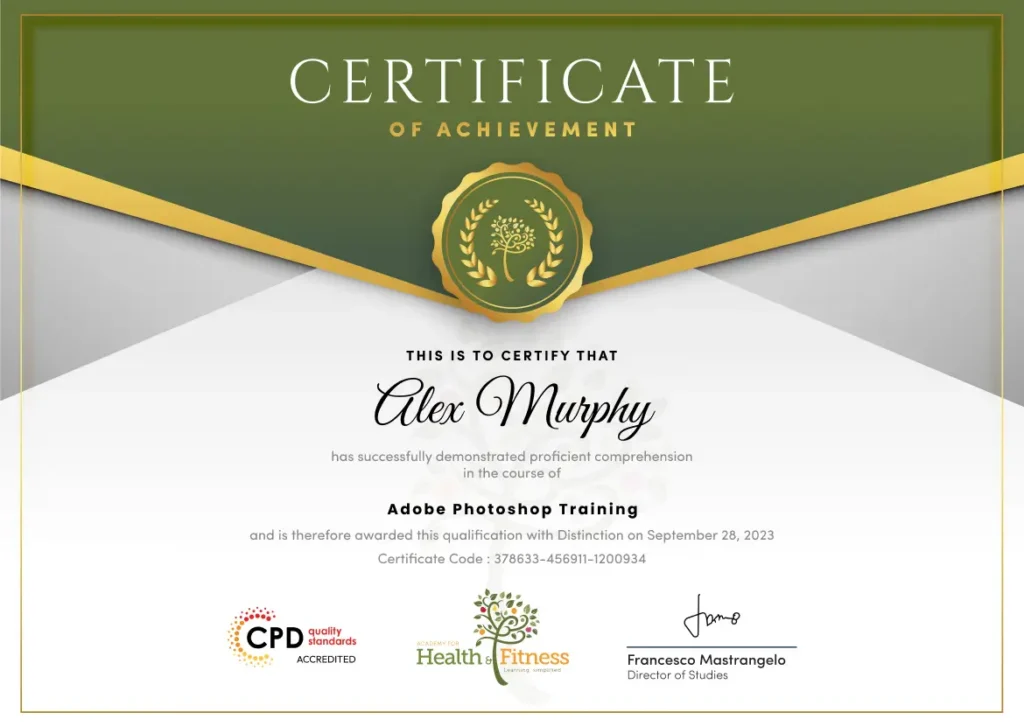
After successfully completing the Adobe Photoshop Training course, you will qualify for a CPD Certificate as proof of your continued professional development and achievement. This certificate can enhance your professional profile and showcase your commitment to building relevant skills and knowledge. You can receive your digital certificate for only £10, or request a printed hard copy sent by post for just £29 or both for £39.
For assessing your learning, you have to complete an automated MCQ exam. It is required for the students to score at least 60% to pass the exam and fulfil the Quality Licence Scheme-endorsed certificate criteria. Learners can apply for the certificate after they clear the exam.
There are assignment questions provided at the end of the course. You are suggested to complete the questions to enrich your understanding of the course. You can complete this according to your preferred time. The expert tutor will provide feedback on your performance after assessing your assignment.
The Adobe Photoshop Training is an online skills-based course designed to develop essential knowledge of graphic design, image editing, digital artwork, and visual content creation. While it does not provide a professional licence, it helps learners build essential Photoshop skills that can support entry-level opportunities in creative industries, marketing, media, e-commerce, and digital design roles.
This course covers the fundamentals of graphic design, Adobe Photoshop tools, image editing techniques, creative design principles, and digital content creation. It is designed to help learners develop essential Photoshop skills for professional and personal projects.
Yes. This course is suitable for beginners, creative learners, marketing professionals, business owners, and anyone who wants to develop Photoshop and digital design skills. No previous Photoshop experience is required.
Yes. Adobe Photoshop Training is delivered online, allowing you to study from home at your own pace. You can access the course using any internet-enabled device and fit learning around your work or personal commitments.
Yes. Successful learners receive a CPD accredited certificate upon completion. This certificate can help demonstrate your Photoshop knowledge and support your professional development.
No. This course does not provide a regulated professional qualification. However, it provides valuable Photoshop knowledge and essential design skills that can support entry-level creative roles and further learning.
You will learn Photoshop tools, image editing, retouching, graphic design basics, creative layouts, digital artwork creation, and techniques used for producing professional visual content.
This course can support progression towards roles such as graphic designer, digital content creator, marketing assistant, social media designer, photo editing assistant, and other creative support roles.
The course assessment is designed to test your understanding of Photoshop concepts, design techniques, and essential knowledge. Learners can complete assessments online and receive results to track their progress.
This course is ideal for beginners, aspiring designers, creative professionals, marketers, business owners, and fitness professionals who want to improve their digital design and visual communication skills.
Photoshop skills are highly valuable in today’s digital world. This course helps you build confidence in creating professional graphics, improve your creative abilities, strengthen your CV, and develop skills that can support career growth.
| LESSON 01 | |||
| Basics of Graphic Design | 00:56:00 | ||
| LESSON 02 | |||
| Foundation in Design | 01:00:00 | ||
| LESSON 03 | |||
| Adobe Photoshop Basics | 01:02:00 | ||
| LESSON 04 | |||
| Designers go to Software | 01:03:00 | ||
| LESSON 05 | |||
| Adobe Illustrator Introduction and Typography | 01:01:00 | ||
| LESSON 06 | |||
| Creating Logos with Illustrator | 01:02:00 | ||
| LESSON 07 | |||
| Logo Design Basics | 00:51:00 | ||
| LESSON 08 | |||
| Adobe in Design and Print Work Introduction | 01:02:00 | ||
| LESSON 01 | |||
| Basics of Graphic Design | 00:56:00 | ||
| LESSON 02 | |||
| Foundation in Design | 01:00:00 | ||
| LESSON 03 | |||
| Adobe Photoshop Basics | 01:02:00 | ||
| LESSON 04 | |||
| Designers go to Software | 01:03:00 | ||
| LESSON 05 | |||
| Adobe Illustrator Introduction and Typography | 01:01:00 | ||
| LESSON 06 | |||
| Creating Logos with Illustrator | 01:02:00 | ||
| LESSON 07 | |||
| Logo Design Basics | 00:51:00 | ||
| LESSON 08 | |||
| Adobe in Design and Print Work Introduction | 01:02:00 | ||