Social Media for Business is a CPD-accredited course for fitness professionals, entrepreneurs, and business owners, offering a recognized certificate. Learn to promote your brand using Pinterest, Facebook, Twitter, LinkedIn, YouTube, and online advertising.
4.8
(8 Reviews)
116 Students
Exclusive Deal! 94% Off, Today Only!
Sale Ends In
CPD Point
In today’s digital marketplace, a strong social media presence is essential for business success. DataReportal reports that the UK had 55.5 million social media user identities, representing almost 80% of the population, highlighting the enormous opportunity for businesses to reach customers online.
The Social Media for Business course teaches you how to use leading platforms, including Facebook, Pinterest, Twitter, LinkedIn, YouTube, and Google+ advertising, to promote products, build brand awareness, attract customers, and grow your online community. You will also learn practical networking and marketing techniques that can help increase engagement and drive business growth.
Whether you run a fitness business, work in marketing, or want to promote your own brand, this course will equip you with valuable digital marketing skills. By the end of the course, you will be able to create effective social media strategies, strengthen your professional profile, and confidently support business growth in today’s competitive digital world.
This Social Media for Business course is designed to provide a essential understanding of social media marketing, online advertising, brand promotion, and professional networking, making it ideal for fitness professionals, business owners, entrepreneurs, and marketers who want to grow their online presence.
Throughout this course, you will learn how to use popular platforms such as Pinterest, Facebook, Twitter, LinkedIn, and YouTube to promote products or services, engage with audiences, and increase brand awareness. You will also explore advertising and networking techniques that can help businesses reach potential customers more effectively.
In addition to platform-specific knowledge, this course develops your understanding of content promotion, audience engagement, and digital communication. These valuable skills can help you create stronger marketing strategies, build professional connections, and support business growth with greater confidence.
By completing this Social Media for Business online course, you will:
Whether you are launching a business, building a fitness brand, or developing your marketing career, this Social Media for Business course provides the essential knowledge needed to promote products and services effectively online.
The course explores major platforms, including Pinterest, Facebook, Twitter, LinkedIn, and YouTube, helping you understand how to create content, engage audiences, build professional networks, and improve brand visibility.
By completing this course, you can strengthen your digital marketing skills and confidently support business growth. It is ideal for fitness professionals, entrepreneurs, business owners, and aspiring marketers who want to manage social media accounts, attract potential customers, and create a stronger professional presence online.
This course is ideal for individuals who want to build essential social media marketing skills and use leading online platforms to promote a business, service, or professional brand.
It is suitable for:
There are no specific prerequisites for enrolling in the Social Media for Business course. It is suitable for beginners and learners from all educational and professional backgrounds.
The course is accessible from any internet-enabled smartphone, tablet, laptop, or computer. This allows you to study comfortably from home or any convenient location.
All you need is basic literacy, a genuine interest in social media marketing, a passion for learning, and to be at least 16 years old.
After successfully completing the Social Media for Business
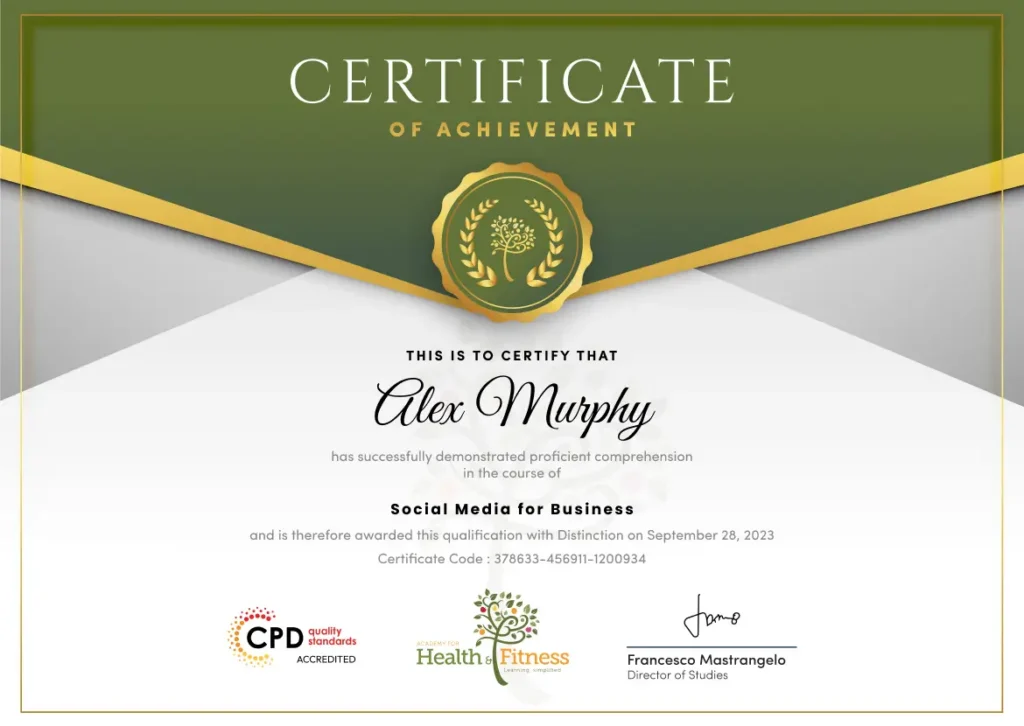
course, you will qualify for a CPD Certificate as proof of your continued professional development and achievement. This certificate can enhance your professional profile and showcase your commitment to building relevant skills and knowledge. You can receive your digital certificate for only £10, or request a printed hard copy sent by post for just £29 or both for £39.
For assessing your learning, you have to complete an automated MCQ exam. It is required for the students to score at least 60% to pass the exam and fulfil the Quality Licence Scheme-endorsed certificate criteria. Learners can apply for the certificate after they clear the exam.
There are assignment questions provided at the end of the course. You are suggested to complete the questions to enrich your understanding of the course. You can complete this according to your preferred time. The expert tutor will provide feedback on your performance after assessing your assignment.
The Social Media for Business course develops foundational knowledge of social media promotion, digital advertising, content creation, audience engagement, and professional networking. Although it does not guarantee employment, it may support entry-level opportunities across marketing agencies, fitness businesses, start-ups, online brands, and freelance projects.
This course covers Pinterest, Facebook, Twitter, LinkedIn, YouTube, online advertising, and professional networking. It provides essential knowledge of using social media platforms to promote a business, engage customers, build brand awareness, and strengthen an online presence.
Yes. This course is suitable for beginners, fitness professionals, entrepreneurs, small business owners, freelancers, and aspiring marketers. No previous social media marketing experience is required, as the course introduces each platform step by step.
Yes. The course is delivered entirely online, allowing you to study from home or any convenient location. You can access the learning materials through an internet-enabled smartphone, tablet, laptop, or computer.
Yes. Successful learners will receive a CPD-accredited certificate after completing the course requirements. This certificate can demonstrate your commitment to professional development and strengthen your CV or business profile.
No. This is a knowledge-based training course and does not provide a professional licence or guarantee employment. However, it can help you develop useful foundational skills for entry-level marketing, content, and social media roles.
This course can support your progression towards roles such as social media assistant, digital marketing assistant, content creator, marketing executive, social media coordinator, and freelance social media manager.
The course includes an assignment designed to assess your understanding of social media platforms, advertising, networking, and business promotion. Assessment requirements may vary depending on the course provider.
This course is ideal for fitness professionals, small business owners, entrepreneurs, freelancers, aspiring digital marketers, and anyone responsible for promoting products, services, or a professional brand online.
Yes. Businesses across many industries use social media to reach customers, promote services, and build their brands. Developing social media marketing skills can support opportunities in marketing agencies, start-ups, fitness businesses, e-commerce, and freelance work.
Social media gives businesses valuable opportunities to connect with audiences and increase visibility. This course helps you understand how to use major platforms more effectively, create stronger promotional strategies, engage potential customers, and support professional or business growth.
| What is Pinterest? | FREE | 00:18:00 | |
| How to Create an Account | 00:05:00 | ||
| Putting a Pinterest Browser Button for Convenience | 00:04:00 | ||
| Connecting to Social Networks | 00:14:00 | ||
| Verifying Your Web Site | 00:03:00 | ||
| Setting Up Initial Business Account Profile | 00:06:00 | ||
| Creating Boards | 00:17:00 | ||
| Pinning Items That Interest You | 00:05:00 | ||
| Using Pins | 00:11:00 | ||
| Widgets | 00:17:00 | ||
| Exploring Types of Widgets | 00:07:00 | ||
| Adding a Pin It Widget to Your Site | 00:04:00 | ||
| How Facebook Works | 00:30:00 | ||
| Setting up Facebook Business Page | 00:09:00 | ||
| Adding Background Graphics and Uploading Pictures | 00:04:00 | ||
| Page Settings | 00:07:00 | ||
| Using Basic Facebook Controls | 00:04:00 | ||
| Posts that Engage Your Fans | 00:19:00 | ||
| Business Overview and Page Info | 00:04:00 | ||
| Invite Friends to Your Facebook Page | 00:04:00 | ||
| Call To Action Button | 00:02:00 | ||
| Viewing Your Notifications | 00:02:00 | ||
| Facebook Promotions | 00:13:00 | ||
| Managing Your Facebook | 00:09:00 | ||
| What You Need to Start with Twitter | 00:15:00 | ||
| How to Create Twitter Profile | 00:08:00 | ||
| How to Update Your Profile | 00:05:00 | ||
| Building Your Twitter Network | 00:09:00 | ||
| How and When to Tweet | 00:08:00 | ||
| Twitter Analytics | 00:03:00 | ||
| Google+ Advertising and Networking | |||
| Offerings from Google | 00:10:00 | ||
| How to Create an Account | 00:04:00 | ||
| Privacy Settings | 00:09:00 | ||
| Adding Friends | 00:02:00 | ||
| Using Google+ | 00:11:00 | ||
| Posts | 00:01:00 | ||
| Creating an Ad With Google | 00:08:00 | ||
| Google Analytics | 00:07:00 | ||
| Google Analytics | 00:04:00 | ||
| Diagnose Landing Pages | 00:03:00 | ||
| The Potential of LinkedIn’s Network | 00:16:00 | ||
| Creating a LinkedIn Account | 00:11:00 | ||
| Enhancing Careers with LinkedIn | 00:10:00 | ||
| Finding a Job with LinkedIn Job Boards | 00:05:00 | ||
| Be Identifiable | 00:09:00 | ||
| Connecting with Others | 00:17:00 | ||
| Creating a Post | 00:02:00 | ||
| Mining Your Contacts Networks | 00:03:00 | ||
| Staying in Touch with Your Connections | 00:12:00 | ||
| Creating a Linked Company Page | 00:04:00 | ||
| YouTube Channels | |||
| Skills Needed for Interesting Video | 00:14:00 | ||
| Skills Needed for Interesting Video: The Story | 00:06:00 | ||
| Skills Needed for Interesting Video: The Story (Cont.) | 00:01:00 | ||
| Skills Needed for Interesting Video Planning | 00:08:00 | ||
| How to Manage Your YouTube Account | 00:10:00 | ||
| How to Create Your YouTube Account | 00:06:00 | ||
| How to Create a YouTube Channel | 00:04:00 | ||
| Browsing YouTube Channels | 00:02:00 | ||
| Video Manager | 00:05:00 | ||
| Creator Studio | 00:05:00 | ||
| Create Video | 00:08:00 | ||
| Assignment | |||
| Assignment – Social Media for Business | 2 weeks, 4 days | ||
| What is Pinterest? | FREE | 00:18:00 | |
| How to Create an Account | 00:05:00 | ||
| Putting a Pinterest Browser Button for Convenience | 00:04:00 | ||
| Connecting to Social Networks | 00:14:00 | ||
| Verifying Your Web Site | 00:03:00 | ||
| Setting Up Initial Business Account Profile | 00:06:00 | ||
| Creating Boards | 00:17:00 | ||
| Pinning Items That Interest You | 00:05:00 | ||
| Using Pins | 00:11:00 | ||
| Widgets | 00:17:00 | ||
| Exploring Types of Widgets | 00:07:00 | ||
| Adding a Pin It Widget to Your Site | 00:04:00 | ||
| How Facebook Works | 00:30:00 | ||
| Setting up Facebook Business Page | 00:09:00 | ||
| Adding Background Graphics and Uploading Pictures | 00:04:00 | ||
| Page Settings | 00:07:00 | ||
| Using Basic Facebook Controls | 00:04:00 | ||
| Posts that Engage Your Fans | 00:19:00 | ||
| Business Overview and Page Info | 00:04:00 | ||
| Invite Friends to Your Facebook Page | 00:04:00 | ||
| Call To Action Button | 00:02:00 | ||
| Viewing Your Notifications | 00:02:00 | ||
| Facebook Promotions | 00:13:00 | ||
| Managing Your Facebook | 00:09:00 | ||
| What You Need to Start with Twitter | 00:15:00 | ||
| How to Create Twitter Profile | 00:08:00 | ||
| How to Update Your Profile | 00:05:00 | ||
| Building Your Twitter Network | 00:09:00 | ||
| How and When to Tweet | 00:08:00 | ||
| Twitter Analytics | 00:03:00 | ||
| Google+ Advertising and Networking | |||
| Offerings from Google | 00:10:00 | ||
| How to Create an Account | 00:04:00 | ||
| Privacy Settings | 00:09:00 | ||
| Adding Friends | 00:02:00 | ||
| Using Google+ | 00:11:00 | ||
| Posts | 00:01:00 | ||
| Creating an Ad With Google | 00:08:00 | ||
| Google Analytics | 00:07:00 | ||
| Google Analytics | 00:04:00 | ||
| Diagnose Landing Pages | 00:03:00 | ||
| The Potential of LinkedIn’s Network | 00:16:00 | ||
| Creating a LinkedIn Account | 00:11:00 | ||
| Enhancing Careers with LinkedIn | 00:10:00 | ||
| Finding a Job with LinkedIn Job Boards | 00:05:00 | ||
| Be Identifiable | 00:09:00 | ||
| Connecting with Others | 00:17:00 | ||
| Creating a Post | 00:02:00 | ||
| Mining Your Contacts Networks | 00:03:00 | ||
| Staying in Touch with Your Connections | 00:12:00 | ||
| Creating a Linked Company Page | 00:04:00 | ||
| YouTube Channels | |||
| Skills Needed for Interesting Video | 00:14:00 | ||
| Skills Needed for Interesting Video: The Story | 00:06:00 | ||
| Skills Needed for Interesting Video: The Story (Cont.) | 00:01:00 | ||
| Skills Needed for Interesting Video Planning | 00:08:00 | ||
| How to Manage Your YouTube Account | 00:10:00 | ||
| How to Create Your YouTube Account | 00:06:00 | ||
| How to Create a YouTube Channel | 00:04:00 | ||
| Browsing YouTube Channels | 00:02:00 | ||
| Video Manager | 00:05:00 | ||
| Creator Studio | 00:05:00 | ||
| Create Video | 00:08:00 | ||
| Assignment | |||
| Assignment – Social Media for Business | 2 weeks, 4 days | ||