Build your Claude AI skills with this beginner-to-advanced online masterclass. Learn prompt engineering, document analysis, Claude Projects, Artifacts, web research, connected tools and agentic workflows through 12 structured modules. No previous AI or coding experience is required.
4.5
(6 Reviews)
79 Students
Exclusive Deal! 94% Off, Today Only!
Sale Ends In
Learn Claude AI from beginner to advanced level, covering prompt engineering, document analysis, Claude Projects, Artifacts, AI research and connected workflows.
From simple questions to advanced AI tasks, Claude offers much more than basic conversations. Understanding its features can make writing, research and information management easier. The Hands-On Claude AI Masterclass Training provides a clear introduction to Claude, helping learners develop effective prompting skills and explore AI tools for everyday work and study.
This Claude AI course online covers 12 modules, starting with essential features and progressing to advanced applications. Key topics include Claude AI prompt engineering, document analysis, Projects, knowledge bases, Artifacts and web research. The course also explores deep research, memory, personalisation, connectors, Skills, Plugins and agentic workflows.
Designed for beginners, students, business owners and working professionals, this Claude AI training course supports the development of valuable digital skills. Learners gain knowledge of content creation, document management, research and AI-supported workflows. HF Online offers flexible online learning, allowing participants to build their understanding of Claude at a comfortable pace.
Claude is an AI assistant developed by Anthropic that can help users write, analyse information, research topics and solve problems. Getting helpful results depends on understanding its features and giving clear instructions. This Claude AI course for beginners and professionals introduces these skills through examples of everyday tasks.
You’ll start by learning how Claude works and how to improve your prompts. The course then explores working with PDFs and other files, creating knowledge bases, organising information through Claude Projects and developing content with Artifacts. You’ll also learn about web search, research features, chat search and Claude Memory.
The advanced modules introduce connected applications, Skills, Plugins and agentic workflows. You’ll explore how these tools can support tasks involving several steps and how to manage the information Claude uses. The course also explains how to check AI-generated answers, recognise mistakes and protect sensitive data, helping you use Claude AI for work and research responsibly.
By completing this Claude AI Masterclass, you will be able to:
HF Online provides flexible learning for people looking to develop new skills alongside their existing responsibilities. This online Claude AI course offers a structured introduction to Claude’s essential and advanced features.
Claude offers more than basic AI conversations. Understanding its features can help you choose better methods for writing, research, information management and everyday work.
This Claude AI online training can help you:
This Claude AI course for beginners and professionals is suitable for anyone who wants to understand Claude’s features and develop useful AI skills.
No previous AI experience or coding knowledge is required to begin. Some advanced tools may require an eligible subscription or additional technical knowledge.
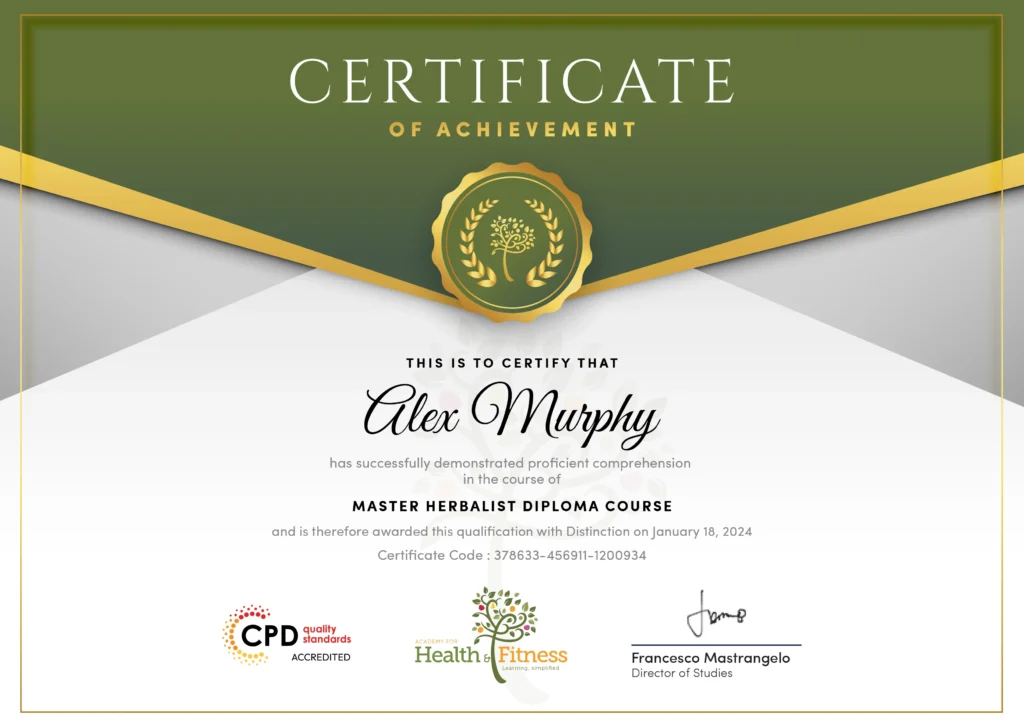
Completing the Hands-On Claude AI Masterclass Training provides an opportunity to demonstrate your commitment to developing knowledge and skills in artificial intelligence, prompt engineering and Claude AI tools.
You can highlight your learning achievements on your CV, support your continuing professional development and show your understanding of Claude Projects, Artifacts, AI research and advanced workflows.
Certificate availability, format and any applicable fees should be confirmed through the certification options shown on the HF Online course page.
Learning Claude AI can strengthen skills used in content development, marketing, research, administration and digital communication. These abilities may support different career paths when combined with relevant qualifications and experience.
Related career opportunities and indicative UK annual salary ranges include:
Salary ranges are based on UK National Careers Service guidance for starting and experienced workers. Actual pay depends on location, employer and experience. These careers may require further qualifications or specialist skills. Completing this course does not guarantee employment.
You can start with the Claude AI Masterclass – from Beginners to Advanced, which introduces Claude’s interface, essential features and basic prompts. The course gradually moves into document analysis, Projects, Artifacts, research and advanced AI workflows.
Claude can help with drafting emails, preparing reports, summarising information, researching topics and organising tasks. This Claude AI training course explains how to use these capabilities for everyday office work, content creation and business activities.
You can improve Claude’s responses by giving clear instructions, relevant background information and examples of the results you want. The Claude AI prompt engineering module explains how to write better prompts, review answers and refine instructions.
Yes. Claude can help you develop reports, written content, outlines and presentation materials. The course also introduces Claude Artifacts, which can support the creation of structured documents, visual content and interactive outputs.
Claude Projects help you organise related conversations, reference documents and project instructions in one place. They are useful when you’re working on ongoing research, content development or tasks that require consistent information.
Yes. Claude offers web search and research features that can help you investigate topics and gather information. The course explains how to review sources, check important facts and recognise when AI-generated information needs further verification.
Claude supports working with PDFs and other compatible files, subject to upload limits. You can ask it to summarise documents, compare information and identify important details. Module 04 explains how to work with documents and files effectively.
The advanced modules introduce Claude connectors, Skills, Plugins and agentic workflows. You’ll explore how Claude can interact with supported applications, follow reusable instructions and help manage tasks involving several steps.
Avoid sharing sensitive information unless you are authorised to do so and the service’s privacy controls are suitable. Module 12 covers responsible AI use, including data protection, checking outputs and understanding the risks of sharing confidential material.
| Module 01: Claude Basics and First Setup | |||
| 1.1 Understanding Claude | 00:03:00 | ||
| 1.2 Creating Your Claude Account | 00:02:00 | ||
| 1.3 Understanding the Claude Interface | 00:03:00 | ||
| Module 02: Inside Claude and How It Replies | |||
| 2.1 How Claude Generates Response | 00:01:00 | ||
| 2.2 Context and conversation history | 00:01:00 | ||
| 2.3 Instructions vs context | 00:01:00 | ||
| 2.4 Why Claude sometimes misunderstands requests | 00:01:00 | ||
| 2.5 Hallucinations and factual errors | 00:01:00 | ||
| 2.6 Context windows | 00:01:00 | ||
| 2.7 Reasoning and complex tasks | 00:01:00 | ||
| 2.8 When Claude needs additional information | 00:01:00 | ||
| 2.9 Understanding model limitations | 00:01:00 | ||
| Conclusion | 00:01:00 | ||
| Module 03: Better Prompting for Better Output | |||
| 3.1-prompt-fundamentals | 00:03:00 | ||
| 3.1-prompt-structure | 00:03:00 | ||
| 3.2-advanced-prompting | 00:04:00 | ||
| Module 3_ Practical Activity Fix the Prompt | 00:00:00 | ||
| Module 04: File Handling and Document Tasks | |||
| 4.1 Uploading and Understanding Files | 00:03:00 | ||
| 4.2 Extracting and Finding Information | 00:02:00 | ||
| 4.3 Analysing and Summarising Documents | 00:03:00 | ||
| 4.4 Transforming and Creating Documents | 00:04:00 | ||
| Module-4-Practical-Activity-Put-a-Document-to-Work | 00:00:00 | ||
| Module 05: Projects, Context and Stored Knowledge | |||
| 5.1-understanding-claude-projects | 00:05:00 | ||
| 5.2 Creating and Configuring Projects | 00:05:00 | ||
| 5.3-building-project-knowledge-base | 00:05:00 | ||
| 5.4-using-projects-effectively | 00:05:00 | ||
| Module-5-Project-Guide-My-Marketing-Assistant | 00:00:00 | ||
| Module 06: Artifacts and Creative Output in Claude | |||
| 6.1 | 00:02:00 | ||
| 6.2 | 00:03:00 | ||
| 6.3 | 00:03:00 | ||
| 6.4 | 00:03:00 | ||
| 6.5 | 00:03:00 | ||
| 6.6 | 00:03:00 | ||
| 6.7 | 00:03:00 | ||
| 6.8 | 00:04:00 | ||
| 6.9 | 00:02:00 | ||
| Project | 00:01:00 | ||
| Module-6-Practical-Project-From-Idea-to-Working-Output | 00:00:00 | ||
| Module 07: Deep Research and Web Based Answers | |||
| 7.1 | 00:04:00 | ||
| 7.2 | 00:03:00 | ||
| Project Module 07 | 00:02:00 | ||
| Module-7-Practical-Project-UK-Online-Training-Market | 00:00:00 | ||
| Module 08: Claude Across Your Working Day | |||
| 8.1 Writing with Claude | 00:02:00 | ||
| 8.2 Analysis | 00:02:00 | ||
| 8.3 Meetings | 00:02:00 | ||
| 8.4 Productivity | 00:02:00 | ||
| 8.5 Learning | 00:04:00 | ||
| Module 09: Tailoring Claude with Memory and Chat Search | |||
| Module 9 | 00:05:00 | ||
| Module-9-Practical-Activity-Memory-and-Personalisation | 00:00:00 | ||
| Module 10: Tool Connections and Integrations | |||
| 10.1 Understanding Connectors | 00:05:00 | ||
| 10.2 Working with Connected Applications | 00:04:00 | ||
| 10.3 Permissions, Access and Security | 00:06:00 | ||
| Task 10 | 00:02:00 | ||
| Module-10-Practical-Activity-One-Job-Four-Stages | 00:00:00 | ||
| Module 11: Working with Skills, Plugins and Agents | |||
| 11.1 Understanding Skills, Plugins and Connectors | 00:02:00 | ||
| 11.2 Skills, Projects and Prompts | 00:04:00 | ||
| 11.3 Building Agentic Workflows | 00:04:00 | ||
| 11.4 Human Oversight and AI Safety | 00:04:00 | ||
| Module-11-Practical-Example-Agentic-Campaign-Workflow | 00:00:00 | ||
| Module 12: Safe, Accurate and Ethical AI Use | |||
| 12.0 | 00:05:00 | ||
| Module-12-Safety-Accuracy-and-Responsible-Use-Checklist | 00:00:00 | ||
| Module 01: Claude Basics and First Setup | |||
| 1.1 Understanding Claude | 00:03:00 | ||
| 1.2 Creating Your Claude Account | 00:02:00 | ||
| 1.3 Understanding the Claude Interface | 00:03:00 | ||
| Module 02: Inside Claude and How It Replies | |||
| 2.1 How Claude Generates Response | 00:01:00 | ||
| 2.2 Context and conversation history | 00:01:00 | ||
| 2.3 Instructions vs context | 00:01:00 | ||
| 2.4 Why Claude sometimes misunderstands requests | 00:01:00 | ||
| 2.5 Hallucinations and factual errors | 00:01:00 | ||
| 2.6 Context windows | 00:01:00 | ||
| 2.7 Reasoning and complex tasks | 00:01:00 | ||
| 2.8 When Claude needs additional information | 00:01:00 | ||
| 2.9 Understanding model limitations | 00:01:00 | ||
| Conclusion | 00:01:00 | ||
| Module 03: Better Prompting for Better Output | |||
| 3.1-prompt-fundamentals | 00:03:00 | ||
| 3.1-prompt-structure | 00:03:00 | ||
| 3.2-advanced-prompting | 00:04:00 | ||
| Module 3_ Practical Activity Fix the Prompt | 00:00:00 | ||
| Module 04: File Handling and Document Tasks | |||
| 4.1 Uploading and Understanding Files | 00:03:00 | ||
| 4.2 Extracting and Finding Information | 00:02:00 | ||
| 4.3 Analysing and Summarising Documents | 00:03:00 | ||
| 4.4 Transforming and Creating Documents | 00:04:00 | ||
| Module-4-Practical-Activity-Put-a-Document-to-Work | 00:00:00 | ||
| Module 05: Projects, Context and Stored Knowledge | |||
| 5.1-understanding-claude-projects | 00:05:00 | ||
| 5.2 Creating and Configuring Projects | 00:05:00 | ||
| 5.3-building-project-knowledge-base | 00:05:00 | ||
| 5.4-using-projects-effectively | 00:05:00 | ||
| Module-5-Project-Guide-My-Marketing-Assistant | 00:00:00 | ||
| Module 06: Artifacts and Creative Output in Claude | |||
| 6.1 | 00:02:00 | ||
| 6.2 | 00:03:00 | ||
| 6.3 | 00:03:00 | ||
| 6.4 | 00:03:00 | ||
| 6.5 | 00:03:00 | ||
| 6.6 | 00:03:00 | ||
| 6.7 | 00:03:00 | ||
| 6.8 | 00:04:00 | ||
| 6.9 | 00:02:00 | ||
| Project | 00:01:00 | ||
| Module-6-Practical-Project-From-Idea-to-Working-Output | 00:00:00 | ||
| Module 07: Deep Research and Web Based Answers | |||
| 7.1 | 00:04:00 | ||
| 7.2 | 00:03:00 | ||
| Project Module 07 | 00:02:00 | ||
| Module-7-Practical-Project-UK-Online-Training-Market | 00:00:00 | ||
| Module 08: Claude Across Your Working Day | |||
| 8.1 Writing with Claude | 00:02:00 | ||
| 8.2 Analysis | 00:02:00 | ||
| 8.3 Meetings | 00:02:00 | ||
| 8.4 Productivity | 00:02:00 | ||
| 8.5 Learning | 00:04:00 | ||
| Module 09: Tailoring Claude with Memory and Chat Search | |||
| Module 9 | 00:05:00 | ||
| Module-9-Practical-Activity-Memory-and-Personalisation | 00:00:00 | ||
| Module 10: Tool Connections and Integrations | |||
| 10.1 Understanding Connectors | 00:05:00 | ||
| 10.2 Working with Connected Applications | 00:04:00 | ||
| 10.3 Permissions, Access and Security | 00:06:00 | ||
| Task 10 | 00:02:00 | ||
| Module-10-Practical-Activity-One-Job-Four-Stages | 00:00:00 | ||
| Module 11: Working with Skills, Plugins and Agents | |||
| 11.1 Understanding Skills, Plugins and Connectors | 00:02:00 | ||
| 11.2 Skills, Projects and Prompts | 00:04:00 | ||
| 11.3 Building Agentic Workflows | 00:04:00 | ||
| 11.4 Human Oversight and AI Safety | 00:04:00 | ||
| Module-11-Practical-Example-Agentic-Campaign-Workflow | 00:00:00 | ||
| Module 12: Safe, Accurate and Ethical AI Use | |||
| 12.0 | 00:05:00 | ||
| Module-12-Safety-Accuracy-and-Responsible-Use-Checklist | 00:00:00 | ||