
SQL for Data Science, Data Analytics and Data Visualization
Data insight increasingly depends on how effectively information is queried and interpreted. Enrolling today supports advanced SQL understanding, helping you avoid analytical blind spots that limit insight, accuracy, and decision confidence.
0
(0 Reviews) 38 Students


SQL for Data Science, Data Analytics and Data Visualization
Exclusive Deal! 94% Off, Today Only!
Sale Ends In

 TAKE All courses for
£99
TAKE All courses for
£99 


This course includes:
-
 Access1 Year Access
 -
 Skill Level
 -
 Duration7 hours, 15 minutes
 -
 Students38 Students
- Original price was: £415.£25Current price is: £25. ex VAT
- 1 year
- Intermediate
- Number of Units99
- Number of Quizzes0
- 7 hours, 15 minutes Gift this course
 14-Day Money-Back Guarantee
Course Overview
“Data does not create value until it is understood.” In modern organisations, SQL sits at the centre of how data is accessed, structured, and analysed, yet many professionals rely on surface-level querying without deeper analytical awareness. When SQL understanding is fragmented, insights remain incomplete, dashboards mislead, and decision-making confidence weakens. This course is designed for learners who recognise that analytical credibility depends on structured data interpretation.
Our CPD-Accredited course explores SQL concepts used within data science, analytics, and visualisation contexts, including database setup, structured queries, filtering, aggregation, joins, constraints, views, and advanced commands. Each topic is approached conceptually to support interpretation rather than execution.
By completing this course, learners develop a clearer theoretical framework for understanding how SQL underpins reliable data analysis. Many professionals later recognise that earlier SQL insight could have transformed reporting confidence. Join today to develop an informed understanding now and remain relevant within data-driven professional environments.
Learning Outcomes
- Understand SQL statement categories used to organise and retrieve data.
- Explain SQL constraints and views within structured data environments.
- Explain stored procedure awareness within database management contexts.
- Understand advanced SQL command concepts supporting analytical flexibility.
- Explain database setup principles within SQL Server and Azure environments.
- Understand data visualisation integration concepts using SQL and Azure tools.
- Explain backup and restore principles supporting database integrity awareness.
- Explain filtering and aggregation concepts supporting analytical data evaluation.
- Understand join principles for interpreting relationships across multiple datasets.
Why People Love and Enrol in this Training?
- CPD Accredited Course
- Unlimited access for 12 months – learn at your own pace ️
- Earn instant certificate upon course completion
- Get a free student ID card to showcase
- Flexible study – no deadlines
- Transparent pricing – no hidden fees
- Dedicated tutor support on weekdays
- Fast assessments & instant results
Who is this Course For?
- Data science students
- IT and database learners
- Data analysis professionals
- Business intelligence learners
- Reporting and analytics staff
- Career development professionals
Certificate of Achievement

CPD Certification
After completing the MCQ assessment, you will qualify for the CPD Certificate from HF Online as proof of your continued professional development. You can order your certificate at a cost of £10 for PDF and £29 for hard copy certificate or both for £39.
Assessment
For assessing your learning, you have to complete an automated MCQ exam. It is required for the students to score at least 60% to pass the exam. Learners can apply for the certificate after they clear the exam.
There are assignment questions provided at the end of the course. You are suggested to complete the questions to enrich your understanding of the course. You can complete this according to your preferred time. The expert tutor will provide feedback on your performance after assessing your assignment.
Prerequisites
There are no prerequisites and you may use any internet-enabled device to study at your own speed, it is adaptable and available to students of all skill levels.
Job Opportunities
Understanding SQL within data science and analytics contexts supports informed insight across technical, analytical, and reporting-focused roles. This course aligns with UK positions where data accuracy, interpretation, and credibility are essential.
- Data Analyst
Data Analysts interpret structured datasets to support organisational decision-making. SQL knowledge underpins accuracy and insight reliability. Average salary £35,000–£55,000 - Business Intelligence Analyst
Business Intelligence Analysts support reporting and dashboard interpretation initiatives. SQL understanding strengthens analytical confidence. Average salary £40,000–£60,000 - Junior Data Scientist
Junior Data Scientists support data exploration and model preparation processes. SQL awareness underpins structured data access. Average salary £38,000–£58,000 - Reporting Analyst
Reporting Analysts manage data queries and performance reporting outputs. SQL knowledge supports reporting integrity. Average salary £32,000–£50,000 - Database Support Analyst
Database Support Analysts assist with data structure and query management tasks. SQL understanding supports database reliability. Average salary £35,000–£52,000 - Data Operations Analyst
Data Operations Analysts support data flow and analytical consistency across systems. SQL awareness underpins operational insight. Average salary £36,000–£54,000 - Analytics Consultant
Analytics Consultants support organisations through data interpretation and insight frameworks. SQL knowledge strengthens advisory credibility. Average salary £45,000–£70,000 - Business Systems Analyst
Business Systems Analysts interpret system data to support business improvement initiatives. SQL understanding informs system evaluation. Average salary £40,000–£60,000 - Management Information Officer
Management Information Officers support performance reporting and governance dashboards. SQL knowledge underpins reporting accuracy. Average salary £34,000–£50,000 - Data Quality Analyst
Data Quality Analysts review data integrity and consistency standards. SQL understanding supports validation awareness. Average salary £35,000–£55,000
Course Curriculum
| SQL for Data Science, Data Analytics and Data Visualization | |||
| Section 01: Getting Started | |||
| Introduction | 00:03:00 | ||
| How to get course requirements | 00:03:00 | ||
| Getting started on Windows, Linux or Docker | 00:01:00 | ||
| How to ask great questions | 00:01:00 | ||
| FAQ’s | 00:01:00 | ||
| Section 02: SQL Server setting up | |||
| Section Introduction | 00:02:00 | ||
| Microsoft SQL Server Installation | 00:19:00 | ||
| SQL Server Management Studio (SSMS) Installation | 00:08:00 | ||
| How to connect MS SQL (Windows Authentication) | 00:04:00 | ||
| How to connect MS SQL (SQL Server Authentication) | 00:03:00 | ||
| Download and Restore Sample Database | 00:07:00 | ||
| Section 03: SQL Azure Data Studio | |||
| What is Azure Data Studio | 00:06:00 | ||
| Azure Data Studio Installation steps | 00:07:00 | ||
| Azure Data Studio to Connect SQL Server | 00:09:00 | ||
| Create a Database | 00:07:00 | ||
| Create a Table | 00:09:00 | ||
| Insert Data rows | 00:07:00 | ||
| View the Data returned by Query | 00:03:00 | ||
| Section 04: SQL Database basic SSMS | |||
| Section Introduction | 00:01:00 | ||
| Overview of Databases | 00:11:00 | ||
| Creating Database | 00:05:00 | ||
| SQL Data Types | 00:03:00 | ||
| Column Data Types on SSMS | 00:04:00 | ||
| Creating Table | 00:09:00 | ||
| Overview of Primary Key and Foreign Key | 00:04:00 | ||
| Primary Key | 00:04:00 | ||
| Foreign Key | 00:07:00 | ||
| Creating Temporary tables | 00:06:00 | ||
| Section 05: SQL Statements for DATA | |||
| Section Introduction | 00:01:00 | ||
| Insert statement | 00:08:00 | ||
| Update statement | 00:05:00 | ||
| Delete statement | 00:03:00 | ||
| Section 06: SQL Data Structure statements | |||
| Section Introduction | 00:01:00 | ||
| CREATE table statement | 00:03:00 | ||
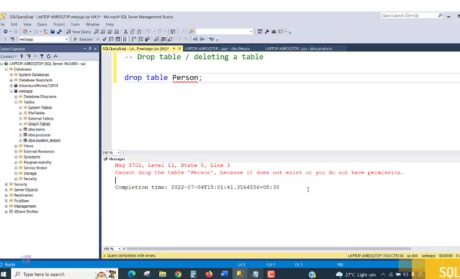
| DROP statement | 00:02:00 | ||
| ALTER statement | 00:05:00 | ||
| TRUNCATE statement | 00:04:00 | ||
| COMMENT in query | 00:01:00 | ||
| RENAME | 00:02:00 | ||
| Section 07: SQL User Management | |||
| Create Database user | 00:04:00 | ||
| GRANT permissions | 00:06:00 | ||
| REVOKE permissions | 00:04:00 | ||
| Section 08: SQL Statement Basic | |||
| Section Introduction | 00:01:00 | ||
| SQL Statement basic | 00:03:00 | ||
| SELECT Statement | 00:07:00 | ||
| SELECT DISTINCT | 00:03:00 | ||
| SELECT with column headings | 00:03:00 | ||
| Column AS statement | 00:02:00 | ||
| Section 09: Filtering Data rows | |||
| SELECT WHERE Clause – theory | 00:04:00 | ||
| SELECT WHERE Clause – practical | 00:07:00 | ||
| Section 10: Aggregate functions | |||
| Sum() | 00:08:00 | ||
| Min()-Max() | 00:06:00 | ||
| Section 11: SQL Query statements | |||
| Order By statement | 00:05:00 | ||
| SELECT TOP clause in SQL | 00:04:00 | ||
| BETWEEN command | 00:08:00 | ||
| IN operator | 00:04:00 | ||
| Wildcard Characters and LIKE | 00:05:00 | ||
| Section 12: SQL Group by statement | |||
| Section Introduction | 00:01:00 | ||
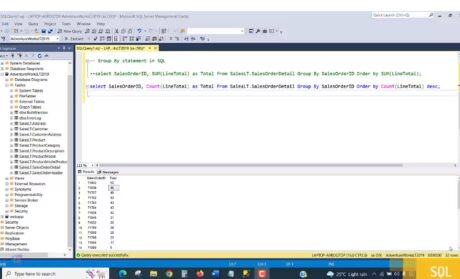
| Group by – theory | 00:03:00 | ||
| Group by – practical | 00:05:00 | ||
| HAVING statement | 00:04:00 | ||
| Section 13: JOINS for Multiple table Data Analysis | |||
| Overview of Joins | 00:02:00 | ||
| What are Joins | 00:02:00 | ||
| Inner join | 00:08:00 | ||
| Left outer join | 00:03:00 | ||
| Right outer join | 00:02:00 | ||
| Full outer join | 00:01:00 | ||
| Union | 00:03:00 | ||
| Cartesian Product with the Cross Join | 00:03:00 | ||
| Query Exercise | 00:01:00 | ||
| Solution for Query Exercise | 00:01:00 | ||
| Section 14: SQL Constraints | |||
| Section introduction | 00:01:00 | ||
| Check constraint | 00:07:00 | ||
| NOT NULL constraint | 00:08:00 | ||
| UNIQUE constraint | 00:05:00 | ||
| Section 15: Views | |||
| Creating Views | 00:04:00 | ||
| Reporting with multiple tables | 00:03:00 | ||
| Section 16: Advanced SQL commands | |||
| Section Introduction | 00:01:00 | ||
| Timestamp | 00:04:00 | ||
| Extract from timestamp | 00:03:00 | ||
| Mathematical scalar functions | 00:04:00 | ||
| String functions | 00:05:00 | ||
| Sub Query | 00:03:00 | ||
| SELECT with calculations | 00:06:00 | ||
| Section 17: SQL Stored procedures | |||
| Create stored procedure | 00:05:00 | ||
| Stored procedure with parameter | 00:04:00 | ||
| Section 18: Azure Data Studio Visualization | |||
| Installing SandDance Extension | 00:03:00 | ||
| Visualization Charts | 00:05:00 | ||
| Multiple Table Data Charts | 00:06:00 | ||
| Section 19: Azure Studio SQL for Data Analysis | |||
| Type Decision for Data Analysis | 00:13:00 | ||
| Data Analysis with Case Statement and String Text | 00:09:00 | ||
| Section 20: Import & Export data | |||
| Section Introduction | 00:01:00 | ||
| Import Flat File | 00:05:00 | ||
| Import .csv or excel file | 00:03:00 | ||
| Export Data to Excel or any format | 00:06:00 | ||
| Section 21: Backup and Restore Database | |||
| Section Introduction | 00:01:00 | ||
| Creating Database backup | 00:04:00 | ||
| Restoring Database backup | 00:04:00 | ||
| Order Your Certificate. | |||
| Order Your Certificate | 00:00:00 | ||